How Accountants Collect Tax Documents: Portal vs Link
How accounting firms collect W-2s, 1099s and prior returns each tax season: email, practice-management portals or a no-login upload link, and costs.
On this page
The short answer: accounting firms collect tax documents in one of three ways: email, a practice-management portal such as TaxDome or Canopy, or a no-login upload link. For a small firm whose clients won't log into a portal, a no-login request tool such as DokuTrak fits best: one link per client, reminders until the checklist is complete, and an optional AI check that flags a wrong or unreadable file. If you want to run the whole practice in one system, TaxDome is the most complete suite. If documents must sit next to desktop tax software, SmartVault is built for that.
It's February 15th. You have 200 tax clients. 140 of them haven't sent a single document yet. Tax season is 8 weeks away. You're about to start the annual email marathon.
"Hi John, just following up on the W-2 we discussed..." "Hi Sarah, a reminder that we still need your 1099-NEC..." "Hi Michael, did you find last year's return?" Repeat 140 times. Watch your inbox fill with replies like "What's a W-2 again?" and "I'll send it tonight" (they won't). Our free inbox follow-up audit counts how many you actually sent in the last 90 days.
This is not a document problem. It's a collection infrastructure problem. And most accounting firms are solving it with email, which quietly burns tens of thousands of dollars in non-billable staff time each season (we run the math below).
A purpose-built accounting client portal fixes this. The question is which one, and whether you actually need a full practice management suite to get there.
This is what the published rules say, not tax advice. Check the current IRS source before you rely on it.
Comparing tools for your own firm? See the client portal alternative for accountants: what DokuTrak does for tax season, with no client login. This guide stays on the how: the workflow, the options and their tradeoffs.
What Is a Client Portal for Accountants (and What It Is Not)?
An accounting client portal is a dedicated channel where clients upload documents, and you receive, review, and accept them. No email required as the delivery mechanism.
What it is not: a replacement for your practice management software. Tools like TaxDome, Canopy, and Karbon are full suites covering workflow, billing, CRM, and e-signatures alongside document collection. If you need all of that, those tools exist for a reason. If you're specifically weighing TaxDome, our TaxDome alternative breakdown covers when the full suite is worth it and when a no-login collection layer is enough.
But if your actual problem is that clients lose their W-2s in the Gmail spam folder, you do not need a $100/user/month suite. You need one sharp tool that makes document collection frictionless for clients who are not technical. Which is most of them.
"Up to 65% of tax work time can be consumed by chasing information from clients." Source: Karbon Magazine, citing Intuit research1
That number is the whole case for investing in a better collection system. If you bill $150/hour and spend half your working hours chasing documents instead of preparing returns, the math is painful.
The Tax Document Collection Problem by the Numbers
There are 123,733 tax preparation services businesses in the US as of 2024.2 A mid-size firm with 200 individual clients needs to collect 15 to 30 documents per client between January and April: 3,000 to 6,000 uploads in 80 working days.
The bottleneck is almost never the return preparation. It is waiting for the client to find and send the documents.
- CPAs lose 6 to 10 hours per week specifically chasing documents during tax season.3
- Manual follow-up adds up fast: a single client cycle (initial request, reminder, status check, update) can eat 20-plus minutes of staff time, and that repeats across every open engagement.
- 65.2% of 367 surveyed accounting firms named getting documents from clients among their biggest workflow challenges in 2024, the most common answer (Financial Cents; more sourced figures in my client document collection statistics).
- Millions of taxpayers file for an extension every year, and for many the delay is not complexity but documents that arrived too late to file on time.4
A structured accounting client portal with automated reminders cuts the manual follow-up loop to near zero.
What Documents Does a CPA Actually Need to Collect?
Part of why document collection is hard is that the list is long and varies by client. Here is what a complete collection looks like, organized by engagement type.
This checklist is DokuTrak's compilation, built from the IRS primary sources that govern what a paid preparer must collect and retain — Form 8867 due-diligence rules,5 Circular 230,6 the IRS record-retention tiers,7 and Publication 463.8 Because tax preparers are "financial institutions" under the GLBA, everything collected also falls under a written data-safeguarding duty (IRS Publication 4557 and the FTC Safeguards Rule).910 Each rule below maps to the instrument that mandates it, not a secondhand summary. In all, the DokuTrak compilation (retrieved July 2026) maps 20 distinct client documents across eight taxpayer situations to 15 IRS forms, schedules, and publications, each drawn from an IRS.gov primary source.
Individual Tax Return (Annual)
Income: W-2, 1099-NEC, 1099-INT, 1099-DIV, 1099-B, 1099-R, Schedule K-1, 1099-G, SSA-1099, prior year return (for carryforward figures).
Deductions and credits: 1098 (mortgage interest), 1098-E (student loan interest), 1095-A (ACA), property tax bills, charitable donation receipts, HSA and IRA records, childcare provider EIN, business receipts if self-employed.
Identity and banking: Social Security numbers for dependents, bank routing/account numbers for direct deposit, IP PIN if assigned.
New client onboarding: signed engagement letter, prior 2 to 3 years of returns, depreciation schedules, entity documents (EIN, Articles of Incorporation), and payroll or QuickBooks credentials if you are taking over bookkeeping. For the full first-week sequence, see the client onboarding checklist for accountants; if you are taking over the books, the bookkeeping client onboarding checklist lists the records and access to ask for.
Monthly bookkeeping: bank and credit card statements, expense receipts (IRS Publication 463 waives documentary evidence only for travel, gift, and transportation expenses under $75, so most receipts still need to be kept), vendor and customer invoices, payroll register, and loan statements with principal/interest split.8 To see which months are still missing per account, use the free missing bank statement tracker; when a client only has PDF statements, the bank statement converter turns them into a table.
Audit preparation: financial statements, general ledger, bank reconciliations, AR and AP aging reports, fixed asset schedule, lease agreements, and board minutes.
A good accounting client portal lets you build reusable request templates per engagement type. One click sends the right checklist to the right client.
For a deeper look at how to structure client intake, see our complete guide to client intake forms.
Why Does Your Tax Client Not Respond to Document Requests?
The median tax client is not a startup founder who lives in productivity apps. They are 45 to 65 years old. They will not remember a portal password. They will not download an app.
When a document request requires creating an account, verifying email, setting a password, and logging in before they can even find the upload button, a meaningful share of them give up. Not because they are difficult. Because the friction is too high.
The fix: a no-account upload link that takes the client directly to an upload screen with no login required. No account. No password. Just "click here, upload your W-2, done."
DokuTrak is built for that client. Each one gets a secure upload link with no account, reminders go out on their own until the checklist is complete, and every request is tracked.
How Does a Client Portal Solve the Collection Bottleneck?
A purpose-built accounting client portal does four things that email cannot:
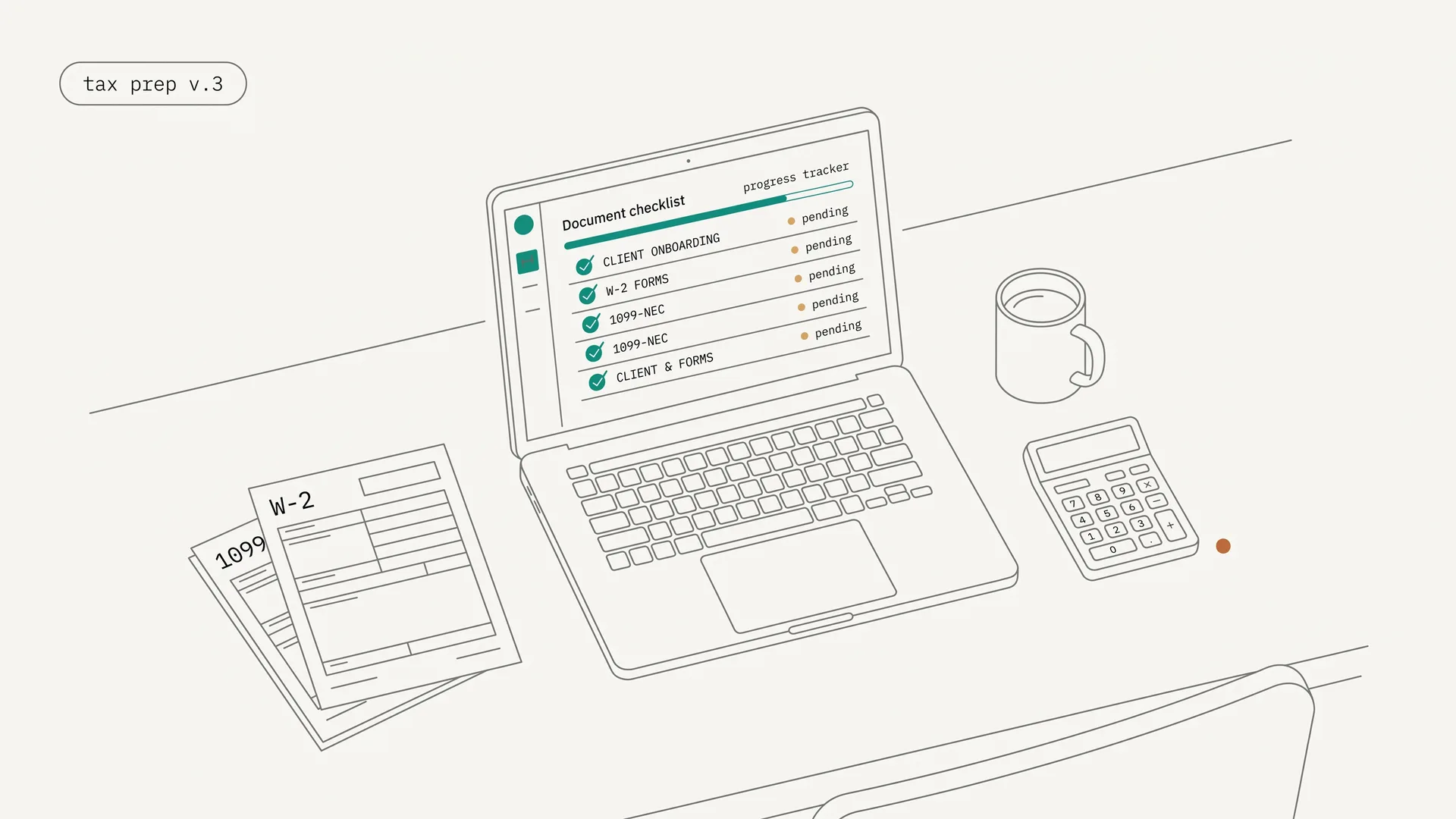
1. Structured checklist. The client receives a numbered list of exactly what is needed. They see what is missing. Progress is visible to both sides.
2. Automated reminders. The portal sends follow-up emails at configurable intervals. No more "I'll follow up Thursday" calendar entries.
3. AI validation at upload. When a client uploads a grocery receipt instead of a 1099-DIV, the system flags it immediately and you send it back with one click. No more opening a folder to find three useless files. The free W-2 checker runs that kind of check on a single W-2.
4. 1-click accept/reject. Accept or send back individual files with a note. No email chain. Every document's status is visible in one dashboard.
Is Document Collection a Compliance Issue, Not Just an Efficiency Issue?
Yes. IRS Form 8867 requires paid preparers to retain, for three years post-filing, copies of documents relied upon for Earned Income Credit, Child Tax Credit, AOTC, and Head of Household eligibility determinations.5 IRS Circular 230 adds due diligence obligations that depend on proper document collection and retention.6 General IRS record retention runs 3 years (standard), 6 years (unreported income exceeds 25% of gross income shown), and 7 years (worthless securities or bad debt claims).7
A portal with upload timestamps creates this compliance trail automatically. An email thread does not.
"Firms with a documented onboarding process retain 87% of clients past the two-year mark. Firms without formal systems retain only 61%." Source: Chronexa CPA Onboarding Analysis11
How Do the Best Client Portals for Accountants Compare?
The right portal depends on the job you need done. Here is the short version:
- Small firm, clients who won't log into a portal: DokuTrak.
- One system for the whole practice (workflow, billing, CRM, e-signatures): TaxDome, or Canopy.
- Documents tied to desktop tax software: SmartVault.
- Team email and workflow management: Karbon.
- Client messaging with a tax document gatherer: Liscio.
- The cheapest no-login request tool: Content Snare.
The table compares the tools most commonly used by accounting firms for document collection. Pricing is as of April 2026, except SmartVault, rechecked September 26, 2026.
| Tool | Monthly cost (5 users) | Client needs account? | AI validation | Tax software integration | Primary purpose |
|---|---|---|---|---|---|
| TaxDome | ~$292 to $417/mo (5 seats, billed annually) | Yes | No | Yes (deep) | Full practice management |
| SmartVault | $325 to $425/mo (billed annually) | Guest account | No | Yes (deep) | Document management |
| Canopy | Tiered by users/usage (quote) | Yes | No | Partial | Full practice management |
| Karbon | $295 to $445/mo | Yes | No | Limited | Workflow management |
| Liscio | $245 to $495/mo | Yes | Partial (file naming) | Partial | Client communication |
| Content Snare | $35/mo (Basic, billed annually) | No | No | No | Request tool |
| DokuTrak | $199/mo | No (no-account upload link) | Optional | No | Document collection |
TaxDome is best for firms that want to run the whole practice in one system. It is the most feature-complete practice management suite for accounting firms, covering workflow, CRM, e-signatures, billing, and document management with deep integrations into Drake, Lacerte, UltraTax, CCH, and ProSeries. Pricing is per seat per year on a multi-year commitment: Essentials runs $800/$750/$700 per seat per year (1/2/3-year terms) and Pro runs $1,000 per seat per year.12 A 5-seat firm on Essentials pays roughly $3,500 to $4,000 per year. Right tool if you need everything. If you already have practice management and only need clients to send documents, it is more system than the job needs.
SmartVault is best for firms that want a document management system tied to their tax software, with accounting-specific integrations via SmartRouting. As of September 26, 2026, the Accounting plans run $65 to $85/user/month billed annually, with a 2-user minimum; Business Pro is $55 with a 3-user minimum.13 Clients upload from a SmartVault guest account.
Canopy is a full-suite, all-in-one platform; every plan now bundles the complete suite (CRM, workflow, document management, billing, client portal) rather than charging for document management as a separate module.14 Plans are tiered by user count and automation volume, so a small firm's effective monthly cost lands in the few-hundred-dollar range. Check Canopy's pricing page for a current quote, as the published tiers change.
Karbon is a workflow and email management platform, not primarily a document collection tool. Many firms pair it with SmartVault, compounding cost. Team plan: $59/user/month annually.15
Liscio includes a dedicated "tax gatherer" feature and is the closest competitor to DokuTrak in purpose. Tax Team plan: $99/user/month annually.16 Clients still need a Liscio account.
Content Snare is best for firms that want the cheapest no-login request tool, with questions and file uploads in the same request. Its Basic plan runs $35/month billed annually (2 users, 20 active requests), with the Plus plan at $85/month billed monthly.17 No client account is required. It has no AI check on what each file contains, so last year's W-2 sent in place of this year's arrives like any other file.
DokuTrak is best for small tax and accounting firms whose clients won't log into a portal. The client uploads from one link with no account, reminders run until the checklist is complete, and an optional AI first pass flags a wrong, expired or unreadable file. A person accepts each file or sends it back with a note. It costs $79/month (Solo), $199/month (Team, up to 5 users), or $449/month (Agency, up to 25 users), with no limit on requests. It has no tax software integration, e-signatures or billing.
For a broader comparison of document collection tools beyond accounting, see our document collection software comparison.
What Is the ROI Math on an Accounting Client Portal?
Run the numbers on a 200-client firm. The inputs below are illustrative estimates, not measured benchmarks; plug in your own.
Assume staff spend roughly 20 minutes per client per follow-up cycle (initial request, reminder, status check, update). Across 200 clients that is about 67 hours per season at $60/hour, or $4,020 in write-off on follow-up cycles alone. Industry data on the underlying admin load is heavier: administrative staff at manual firms spend 4 to 8 hours per client routing documents, and partners spend 3 to 6 hours per new client chasing paperwork at $300 to $500/hour, which Chronexa puts at $900 to $3,000 in non-billable partner time per client.11 Across a book of clients, the non-billable total runs well into five figures per season.
DokuTrak Team at $199/month costs $2,388/year. The tool pays for itself with 7 recovered staff hours over the year. Everything beyond that is margin.
The retention math also works: 87% of firms with documented onboarding retain clients past two years, versus 61% for firms without formal systems.11 CPA fees commonly run about $220 to $400 for a simple individual return and $320 to $600 for an itemized one.18 Retaining 10 additional clients via a better experience more than covers the annual cost.
The February 15th scenario is not inevitable. It is the result of using email for a job that structured document collection handles better.
Start your 14-day free trial to a real client and compare the workflow with email. 14-day free trial, no card. Add one only to keep going.
For a broader comparison of the category, see our best client portal software roundup.
Footnotes
-
Karbon Magazine, "Post-tax season insights (and what you can do about them)," citing Intuit, retrieved 2026-06-14. https://karbonhq.com/resources/post-tax-season-insights/ ↩
-
IBISWorld. "Tax Preparation Services in the US, 2024." https://www.ibisworld.com/united-states/number-of-businesses/tax-preparation-services/1399/ ↩
-
Bizora.ai, "Managing Time & Deadlines in Early Tax Season: Where CPAs Actually Lose Hours," retrieved 2026-06-14. https://www.bizora.ai/post/time-management-tips-for-tax-season-where-cpas-lose-hours ↩
-
TurboTax / IRS. "Filing an Income Tax Extension." https://turbotax.intuit.com/tax-tips/tax-extensions/filing-an-income-tax-extension/L5GIzgJaS ↩
-
IRS. "Instructions for Form 8867 (11/2025)," retrieved 2026-06-14. https://www.irs.gov/instructions/i8867 ↩ ↩2
-
IRS. "Circular 230 Due Diligence Law, Regulations, and Requirements," retrieved 2026-07-06. https://www.irs.gov/tax-professionals/eitc-central/due-diligence-law-regulations-and-requirements ↩ ↩2
-
IRS. "How long should I keep records?," retrieved 2026-06-14. https://www.irs.gov/businesses/small-businesses-self-employed/how-long-should-i-keep-records ↩ ↩2
-
IRS. "Publication 463 (2025), Travel, Gift, and Car Expenses — Recordkeeping," retrieved 2026-06-14. https://www.irs.gov/publications/p463 ↩ ↩2
-
IRS. "Publication 4557, Safeguarding Taxpayer Data," retrieved 2026-07-06. https://www.irs.gov/pub/irs-pdf/p4557.pdf ↩
-
FTC. "Standards for Safeguarding Customer Information (Safeguards Rule), 16 CFR Part 314," retrieved 2026-07-06. https://www.ecfr.gov/current/title-16/chapter-I/subchapter-C/part-314 ↩
-
Chronexa. "CPA Firm Client Onboarding: Stop Chasing Documents and Go Live in 3 Days," retrieved 2026-06-14. https://chronexa.io/blog/cpa-firm-client-onboarding-automation-3-days ↩ ↩2 ↩3
-
TaxDome. "Pricing — Comprehensive plans for every firm," retrieved 2026-06-14. https://taxdome.com/pricing/ ↩
-
SmartVault. "Pricing," retrieved 2026-09-26. https://www.smartvault.com/pricing/ ↩
-
Canopy. "Pricing," retrieved 2026-06-14. https://www.getcanopy.com/pricing/ ↩
-
Assembly, "Karbon pricing plan guide: Worth it for accounting firms?," retrieved 2026-06-14. https://assembly.com/blog/karbon-pricing ↩
-
Liscio. "Pricing," retrieved 2026-06-14. https://www.liscio.me/pricing ↩
-
Content Snare. "Pricing & Plans," retrieved 2026-06-14. https://contentsnare.com/pricing/ ↩
-
SK Financial. "Average Cost of Tax Preparation by a CPA in the USA (2026 Update)," retrieved 2026-06-14. https://www.skfinancial.com/blog/average-cost-of-tax-preparation-by-cpa ↩
Frequently asked questions
How do accounting firms share documents with clients?
Most use a client portal or secure upload link rather than email attachments. The lightest approach sends the client a no-account upload link: they click it and upload their W-2s, 1099s, and prior return with no login. That gives the firm a tracked, timestamped record instead of documents scattered across an inbox.
Can clients upload files without creating an account?
No account is required with DokuTrak. The firm sends the client a secure upload link; they click it and go straight to an upload screen, with no login, no password, and no account creation. This removes the portal-login step that often blocks older or less technical tax clients from sending documents.
Does a client portal for accountants replace tax preparation software?
No. Tax preparation software such as Drake, Lacerte, or ProSeries handles return preparation and e-filing. A document-collection portal handles the upstream step: getting the client's documents into your hands in the first place. They are different problems solved by different tools, and the portal feeds the prep software.
Is document collection software compliant with IRS requirements?
Structured digital collection with timestamped uploads directly supports IRS Form 8867 due-diligence requirements, which call for three-year retention of documents relied on for credit eligibility. A timestamped upload log is far easier to produce in an audit than a reconstructed email thread.
How does AI validation work for accounting documents?
DokuTrak's AI first pass is optional: a workspace admin switches it on. Each uploaded file is read against what was requested. If you asked for a W-2 and the client uploads a bank statement or last year's return, the file is flagged with a one-line reason before you open it. The AI never approves anything: a person accepts the file or marks it for re-upload, and the client gets that note by email.
How does DokuTrak compare to using a shared Google Drive or Dropbox?
Shared drives require the client to have an account, understand the folder structure, and place files correctly. There is no validation, no reminders, and no clear status on what is missing, so you end up checking the folder and following up by email anyway. A purpose-built portal closes that gap.
Keep reading
More on collecting documents without the chase.
How Law Firms Collect Client Documents: Portal vs Link
How law firms collect intake documents: a practice-area checklist, Clio, MyCase and PracticePanther portals, a no-login upload link, and security basics.
12 Best Client Portal Software Tools for 2026
Compare 12 client portal software tools on price, how clients sign in, and fit for accounting, legal and service firms. Prices checked September 2026.
Client Portal for Nonprofits (Grants and Beneficiary Docs)
How nonprofits collect grant and beneficiary documents with a no-account upload link, reminders before deadlines, and flags on files that look wrong.
Stop chasing clients for documents.
One request, one upload link. DokuTrak follows up in your firm’s name and flags the wrong files. You make the final call.