How to Collect Documents from Clients Without Chasing Them
Clients procrastinate on documents because the task feels aversive, not because they're lazy (Steel, 2007). Here are 5 research-backed steps to fix it.
On this page
You sent the document request on Monday. It's Thursday. Nothing. You sent a reminder Tuesday. Read receipts say they opened it. Still nothing. Friday you call. They say "Oh yeah, I'll get to it this weekend." They won't.
Monday again. You send another email. Softer tone this time, because you don't want to seem pushy. You tell yourself this is just how clients are. It isn't. It's how your current process works.
The document chase is one of the most expensive invisible problems in professional services. Accounting firms waste an average of 3,284 hours per year on bad client data and document delays, the equivalent of 19.5 full working weeks across a 15-person firm.1 Lawyers lose up to 6 hours per week on document management issues alone, costing roughly $9,071 per attorney per year in non-billable time.2 For mortgage brokers, automated document collection tools report saving up to 5 hours per loan deal versus manual processes.3
None of this is necessary. The fix isn't sending more emails. It's changing the system.
This guide covers why clients delay, and the five changes that actually move the needle.
Why Do Clients Always Seem to Delay Sending Documents?
The instinct is to blame the client. They're disorganized. They don't take the deadline seriously. They don't care.
The research says something different.
Task Aversiveness: The Real Driver of Delay
In a landmark meta-analysis of 691 correlations across decades of procrastination research, Piers Steel found that task aversiveness is the single strongest predictor of procrastination (r ≈ .40).4 Not poor time management. Not laziness. The perceived unpleasantness of the task itself.
Finding a three-month-old bank statement, scanning a government ID, uploading a utility bill from a folder you haven't opened in a year. These tasks are objectively tedious. They have no immediate personal reward for the client. They sit in the highest-aversiveness quadrant of anyone's to-do list.
Steel's meta-analysis established task aversiveness as one of the most reliable predictors of procrastination, a finding repeatedly replicated since. Conservative estimates put student procrastination prevalence at 50% or higher.4
Blunt and Pychyl (2000) added further texture: boredom, frustration, and resentment emerge as dimensions of task aversiveness at every stage of completion, not just at the start.5 The client who "almost got to it" is experiencing the same aversion on the third attempt as they did on the first.
The Emotional Regulation Problem
Procrastination is not a time management problem. It is an emotion regulation problem. A 2022 study published in Frontiers in Psychology found that when short-term mood regulation competes with long-term goals, people delay aversive tasks to achieve a positive hedonic shift.6
Your client has a goal: complete their mortgage application, file their taxes, close the property deal. But right now, in this moment, sending documents feels worse than doing almost anything else. So they manage their emotional state by not doing it, and intend to do it later.
The professional who frames this as a client attitude problem will keep sending follow-up emails. The professional who understands it as a behavioral design problem will change the system.
Why "Send It When You Can" Virtually Guarantees Delay
Ariely and Wertenbroch (2002) ran a controlled study with 60 participants assigned to proofread three passages under three conditions: evenly-spaced external deadlines, a single end deadline, or self-chosen deadlines.7 The result was unambiguous. Externally imposed, evenly-spaced deadlines produced the best performance. Self-imposed deadlines were better than no deadline, but significantly worse than external ones.
The implication for client document collection is direct. "Send it when you can" is not a soft, client-friendly instruction. It is the absence of structure. And in the absence of structure, the aversive task will be deferred indefinitely.
What Is the Real Cost of the Document Chase?
Before getting to the fix, it helps to understand what the problem actually costs. Most professionals dramatically underestimate it.
| Profession | Reported cost | Source |
|---|---|---|
| Accounting firms (15-person) | 3,284 hours/year wasted | CPA Practice Advisor1 |
| Bookkeepers (solo, 20 clients) | ~33 hours/month; $25,000+ in lost revenue | OnboardMap8 |
| Lawyers | 6 hours/week; $9,071/year per attorney | MetaJure2 |
| Mortgage brokers | up to 5 hours saved per loan deal (vs. manual) | BrokerEngine3 |
| Real estate agents | around 40 hours per transaction | TransactionMonster9 |
A Financial Cents survey of 132 accounting firm owners found that chasing clients for additional documents was the second most challenging part of leading an accounting firm, ranking above hiring, above compliance complexity, above client pricing.10
The professionals who say "this is just part of the job" are correct in one sense. It is part of their current job. It doesn't have to be.
What Methods Actually Work to Collect Documents Faster?
These five changes are each independently backed by evidence. You can implement them manually or automate them. Both are addressed below.
1. Set a Real Deadline (Not "When You Get a Chance")
The single most impactful change you can make is to stop making open-ended requests.
Instead of: "Please send over the documents at your earliest convenience."
Write: "I need these documents by Wednesday, April 16 at 5 PM. After that date, I won't be able to meet your filing deadline."
Ariely and Wertenbroch's research shows that external deadlines with real stakes consistently outperform both self-imposed deadlines and open-ended requests.7 The deadline needs to be specific (a date, not a week), framed with consequences (what happens if it's missed), and actually enforced.
A countdown timer inside a document portal does this automatically. A vague email does not.
2. Break It Into Steps (Not a Wall of 12 Documents)
John Sweller's Cognitive Load Theory, first published in 1988, established that human working memory can only process a limited number of elements at once.11 Long document checklists create what Sweller called "extraneous cognitive load": mental effort caused by poor task design rather than the actual work required.
When a client opens an email asking for tax returns, government ID, proof of address, three months of bank statements, an employer letter, an insurance certificate, and a utility bill (all in one paragraph) they experience that list as a single overwhelming task. The instinct is to close the email and come back later. Later never arrives.
Break the same request into three groups of three documents. Show group one first. Only after it's submitted does group two appear. Progressive disclosure reduces perceived effort and cognitive load, which research links to higher task-completion rates.12 The total work for the client is identical. The perceived effort is radically lower.
3. Automate Your Reminders (Let the System Nag, Not You)
Manual follow-up has two problems: it's inefficient for you, and it damages the relationship.
Research on reminder fatigue shows responses to repeated reminders decline over time unless the reminders are deliberately designed against fatigue.13 By the time you've sent your fourth follow-up email, you're operating in territory of diminishing returns. Cold-email benchmarking shows most replies land on the first message, with each later touch contributing diminishing returns.14
The second problem is relational. When you personally send the sixth reminder, the client has personalized the avoidance. They feel guilty. You feel annoyed. The professional relationship begins to fray before the work has even started.
Automated reminders solve both problems. The system sends the reminder, not you. The optimal cadence based on document collection practice data is day 3, day 7, and day 14.15 The third reminder escalates urgency. You are not involved until the escalation requires personal contact.
According to vendor data from OnboardMap, manual processes generate 8 to 15 follow-up emails per client per month. With automated systems, this drops to 0 to 2.8
4. Remove All Login Friction (No Passwords. Ever.)
This is the most commonly underestimated problem in client document collection.
When a client clicks your document request link and is asked to create an account or remember a password, you have introduced the single most damaging friction point in the entire process. Research shows 25% of users abandon account creation at the password step.16 Each additional authentication step reduces conversion by a further 10 to 15%.16
Passwordless flows, where a client receives a secure upload link in email and clicks once to access the upload portal, achieve 85 to 95% completion rates, compared to 60 to 75% for password-based flows.17
The logic is simple: the client did not choose to use your document platform. They agreed to work with you. Asking them to create a new account to do a task they didn't ask to do is the fastest way to lose them before they start. One click. No account. Mobile-optimized. That's the bar.
Mobile matters here. As of Q4 2024, mobile devices generate 62.54% of global website traffic (Statista).18 If your client receives the document request on their phone and the upload experience isn't designed for mobile, you've already lost most of them.
5. Validate Documents on Upload (Stop Round 2)
The most expensive form of document collection failure is when you collect everything on time, then discover the problem.
The ID expired six months ago. The bank statement covers the wrong period. The wrong type of insurance certificate was uploaded. This triggers a second collection cycle: all the friction, delays, and follow-ups of the first round, compressed into the worst possible moment before a deadline.
Under manual processes, approximately 40% of clients submit at least one incorrect document. With structured validation systems, this drops to around 5%.8 According to Content Snare's user survey, 81.9% of customers report their clients now get documents right the first time after switching to a structured system, with an average 52% reduction in wrong submissions.19
Real-time validation at the point of upload changes the economics of error. When a document is rejected immediately, with a specific reason, the client is still engaged, still in the flow, still likely to fix it in the same session. When they discover the problem 10 days later via email, the cost of re-engagement is the same as starting over.
Can You Do This Without Software?
Every one of these five steps can be implemented manually. It takes more time and discipline, but the principles work regardless of the tool.
Manual implementation:
- Set a specific deadline in every email and include consequences for missing it
- Write your document request as a numbered checklist, grouped into three or four logical categories (or start from our free document checklist generator and customize it)
- Block time in your calendar for day-3, day-7, and day-14 follow-ups and send them consistently
- Use a shared Dropbox or Google Drive link so clients don't need to create an account
- Review each uploaded document within 24 hours and immediately request corrections before moving on
The limits of manual: You are still doing the nagging, even if the reminders come from ready-made follow-up email templates. You are still checking documents yourself. The collection cycle for a typical new client using this manual process takes 2 to 4 weeks.8
With automation: The platform sends the reminders. Validation happens at upload. The client sees a step-by-step portal with a countdown. You receive a notification when the collection is complete. Average cycle time: 3 to 5 days.8
The five principles are the same. The question is how much of your time they consume.
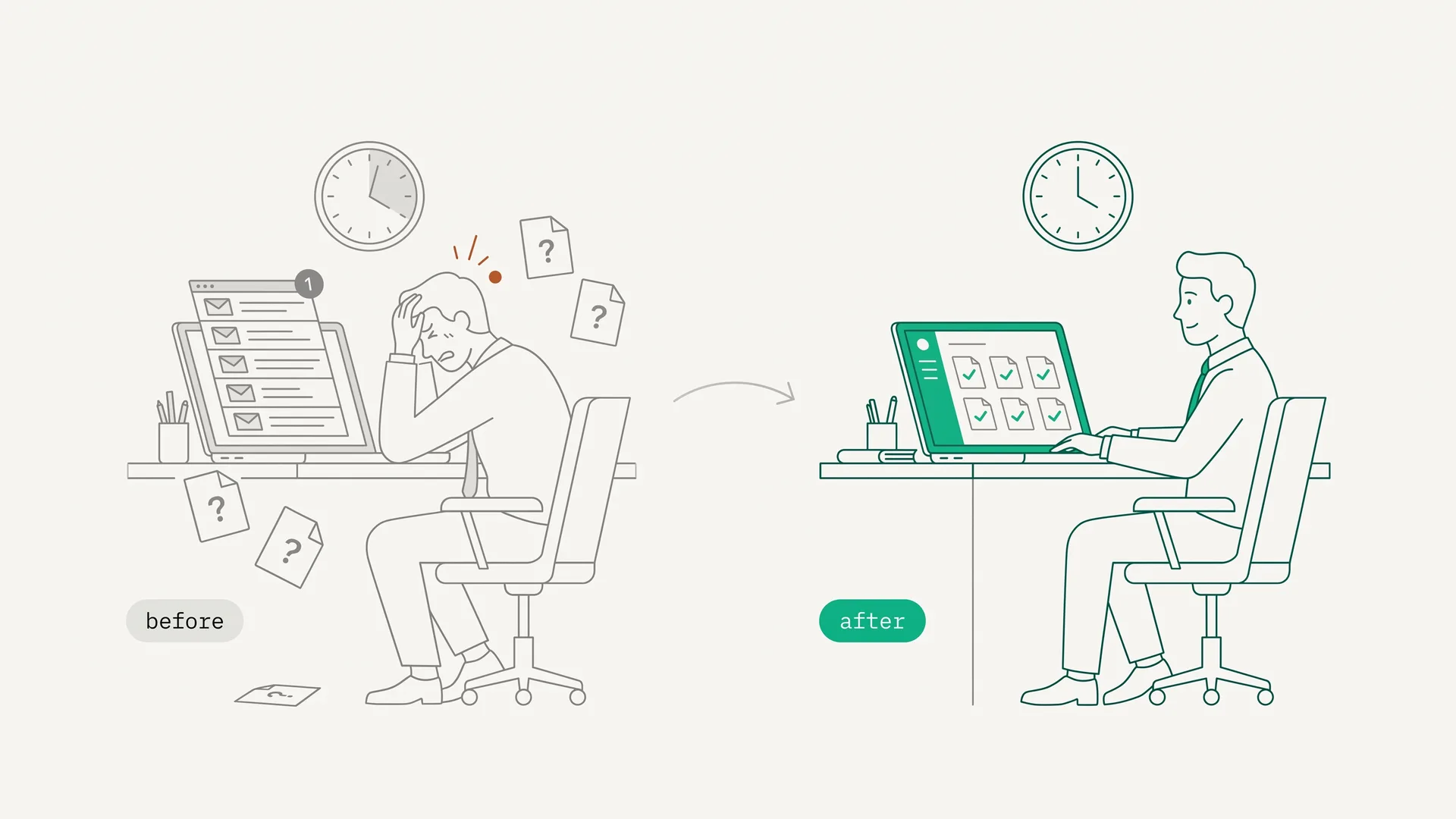
What Does "Good" Look Like? Before and After
| Metric | Manual process | Structured/automated |
|---|---|---|
| Collection cycle time | 2 to 4 weeks | 3 to 5 days |
| Follow-up emails per client/month | 8 to 15 | 0 to 2 |
| Wrong document submission rate | Common and often discovered late | Lower when validation happens at upload |
| Client needs to create an account | Usually yes | No (no-account upload link) |
| Documents validated before submission | No | Yes (real-time) |
The professionals who operate in the "before" column typically believe the "after" column requires expensive software or complex systems. It doesn't. It requires applying five behavioral principles consistently.
If You Want to Automate All 5 Steps
DokuTrak was built specifically to implement these five steps without manual intervention. You build a request template once. The platform handles the deadline enforcement, the step-by-step portal, the automated reminders, the no-account upload link, and the AI-powered real-time validation.
The dashboard tracks first-attempt completion and collection-cycle timing, so teams can measure the workflow instead of estimating from inbox threads.
Plans start at $79/month for solo professionals, $199/month for teams of up to 5, and $449/month for agencies of up to 25 seats. The 14-day trial is free, with no card.
Start your 14-day free trial, or read our guide to client document collection software if you want to compare tools before deciding.
Further Reading
- The Complete Guide to Client Intake Forms: What to include, how different professions use them, and how to build one that clients actually complete
- What Is Document Collection Software?: How the main tools compare on friction, automation, and validation
- How to Build a Secure Document Upload Portal: Technical and regulatory requirements for handling sensitive client files
- How to Collect Files From Clients Without Email or Drive: The upload link, reminders and file check, step by step
- How Consultants and Agencies Collect Client Assets: Logins, brand files and content, collected without a shared drive
Footnotes
-
CPA Practice Advisor. "Accounting Firms Waste 3,000 Hours Per Year on Bad Client Data." August 2021. https://www.cpapracticeadvisor.com/2021/08/26/accounting-firms-waste-3000-hours-per-year-on-bad-client-data/45230/ ↩ ↩2
-
MetaJure. "Lawyers Waste Six Hours a Week on Document Management Issues." https://metajure.com/lawyers-waste-six-hours-a-week-on-document-management-issues-2/ (retrieved 2026-06-14) ↩ ↩2
-
BrokerEngine. "Mortgage Broker Document Collection." https://brokerengine.com.au/mortgage-broker-document-collection/ ↩ ↩2
-
Steel, P. (2007). "The Nature of Procrastination: A Meta-Analytic and Theoretical Review of Quintessential Self-Regulatory Failure." Psychological Bulletin, 133(1), 65–94. https://pubmed.ncbi.nlm.nih.gov/17201571/ ↩ ↩2
-
Blunt, A. K., & Pychyl, T. A. (2000). "Task aversiveness and procrastination across stages of personal projects." Personality and Individual Differences, 28(1), 153–167. https://www.sciencedirect.com/science/article/abs/pii/S0191886999000914 ↩
-
Frontiers in Psychology (2022). "Procrastination and emotion regulation." https://www.frontiersin.org/journals/psychology/articles/10.3389/fpsyg.2022.1019261/full ↩
-
Ariely, D., & Wertenbroch, K. (2002). "Procrastination, Deadlines, and Performance: Self-Control by Precommitment." Psychological Science, 13(3), 219–224. https://pubmed.ncbi.nlm.nih.gov/12009041/ ↩ ↩2
-
OnboardMap. "The Document Chase Is Killing Your Bookkeeping Practice." https://onboardmap.com/insights/onboarding/document-chase-is-killing-your-bookkeeping-practice/ (retrieved 2026-06-14) ↩ ↩2 ↩3 ↩4 ↩5
-
TransactionMonster. "How Many Hours Realtors Waste with Transactions." https://transactionmonster.com/how-many-hours-realtors-waste-with-transactions/ ↩
-
Financial Cents. "How to Get Documents from Accounting Clients 10x Faster." https://financial-cents.com/resources/articles/how-to-get-documents-from-accounting-clients-10x-faster/ (retrieved 2026-06-14) ↩
-
Sweller, J. (1988). "Cognitive Load During Problem Solving: Effects on Learning." Cognitive Science, 12(2), 257–285. https://onlinelibrary.wiley.com/doi/10.1207/s15516709cog1202_4 ↩
-
Interaction Design Foundation. "Progressive Disclosure." https://ixdf.org/literature/topics/progressive-disclosure ↩
-
Hahn, D. L., et al. (2015). "Clinical Reminders Designed and Implemented Using Cognitive and Organizational Science Principles Decrease Reminder Fatigue." Journal of the American Board of Family Medicine, 28(3), 351–359. https://www.jabfm.org/content/28/3/351.full ↩
-
Instantly.ai. "Cold Email Benchmark Report 2026." https://instantly.ai/cold-email-benchmark-report-2026 ↩
-
File Request Pro. "Automated Client Reminders." https://filerequestpro.com/articles/automated-client-reminders ↩
-
MojoAuth. "How Authentication Friction Affects Conversion Rates." https://mojoauth.com/blog/how-authentication-friction-affects-conversion-rates-the-data-behind-frictionless-login (retrieved 2026-06-14) ↩ ↩2
-
Security Boulevard. "How Authentication Friction Affects Conversion Rates." https://securityboulevard.com/2026/03/how-authentication-friction-affects-conversion-rates-the-data-behind-frictionless-login/ (retrieved 2026-06-14) ↩
-
Statista. "Share of global website traffic generated by mobile devices." Q4 2024. ↩
-
Content Snare. "Document Collection Software Results Survey." https://contentsnare.com/results-survey/ [Vendor-reported data] (retrieved 2026-06-14) ↩
Frequently asked questions
How do you collect documents from clients without chasing them?
Use a no-account upload link, break the request into small logical groups of three or four documents, set an explicit deadline with consequences, and let automated, time-spaced reminders handle the follow-up so you are not personally nagging. Real-time validation at upload prevents the second round caused by wrong or expired files.
How do I get clients to actually send me their documents?
Change the system, not the client. Clients delay because document gathering feels aversive, so reduce the friction: remove login walls, give a specific deadline with a clear consequence, and split a long checklist into small steps. Then let the platform send the reminders instead of you sending a sixth follow-up email.
What is the best way to collect documents electronically?
Send a passwordless, mobile-friendly upload link rather than an email asking for attachments or a shared drive. The client uploads directly, automated reminders cover missing items, and validation at upload catches wrong or expired files. That removes the account creation and folder navigation that make electronic collection stall.
Why do clients procrastinate on sending documents?
Research consistently identifies task aversiveness as the primary driver. Finding, scanning, and uploading documents is tedious with no immediate personal benefit, which is the exact psychological profile that predicts delay. It is an emotion-regulation problem, not a time-management one, so the fix is designing the task to feel easier, not sending more reminders.
Do deadlines actually help clients send documents faster?
Yes. Controlled research shows externally imposed, evenly spaced deadlines produce significantly better compliance than self-imposed deadlines or open-ended requests. The key factors are specificity (a concrete date, not soon), consequence framing (what happens if it is missed), and external enforcement rather than relying on the client's self-regulation.
What happens when a client submits the wrong document?
Under manual processes, wrong documents are often discovered after you have moved on, triggering a second collection cycle at the worst time. Real-time AI validation at upload catches these errors immediately, while the client is still engaged and likely to correct the issue in the same session instead of days later.
Keep reading
More on collecting documents without the chase.
Secure Document Upload Portal: How to Collect Files Without Email
How to collect client documents through a secure upload portal instead of email: encryption, access control, audit trail, and no client login.
Busy Season in Accounting: How Small Practices Get Through It
Busy season accounting for a 1-5 person practice: the dates that drive it, why client documents arrive late, and what to set up in November and December.
Engagement Letter Template, With a Client Documents and Deadlines Clause
A free engagement letter template to copy, plus a practical clause: which documents the client sends, by when, and what happens if they don't.
Stop chasing clients for documents.
One request, one upload link. DokuTrak follows up in your firm’s name and flags the wrong files. You make the final call.