How to Choose Client Onboarding Software: 10 Tools Compared
90% of companies lose clients during onboarding (ABBYY, 2022). We compared 10 tools by pricing, features, and who they're built for.
On this page
You won the client. They signed. They're excited. Then you ask them to send their documents.
And nothing happens.
You follow up. You get a partial upload. You follow up again. Three weeks later you're still missing two files and the deal is stalled.
This isn't bad luck. It's the default outcome when you rely on email and goodwill to collect client documents. 90% of companies experience some form of client abandonment during digital onboarding.1 In financial services, 70% of institutions lost clients last year specifically because onboarding was too slow, the highest rate ever recorded.2
The fix is client onboarding software. But the category is crowded, pricing varies from $19/mo to $500+/mo, and most tools do far more (or far less) than you actually need.
This guide cuts through it. Ten tools, verified 2026 pricing, honest strengths and limitations.
Looking at DokuTrak itself? See DokuTrak for client onboarding: the document step of onboarding, with no client login. This guide compares the wider category.
What Is Client Onboarding Software?
Client onboarding software is any tool that helps you systematically move a new client from "signed" to "fully set up," collecting documents, forms, signatures, and information without chasing them manually.
The category is broad. Some tools are full CRM and billing suites that include onboarding as one feature. Others are purpose-built for a single bottleneck: document collection. The right tool depends on where your process breaks down.
If your answer is "clients won't send their documents," skip to DokuTrak and the decision framework below.
Why Is Client Onboarding Such a Problem?
The numbers are brutal.
29% of businesses cite "process too long" as the top cause of onboarding abandonment. 26% cite too many manual steps.1 Clients abandon digital onboarding processes after an average of 14 minutes and 20 seconds. If it exceeds 20 minutes, 70% quit entirely.3
Corporate onboarding can drag on for up to 100 days on average.4 And professionals aren't immune: a large share of professional services firms still collect documents over plain email, a system with no reminders, no validation, and no visibility.
The cost is real. Reducing onboarding abandonment by 50% would increase revenue by 26% and boost customer acquisition by 29%.1 Technology improvements to onboarding improve customer experience by 43% and increase retention by 37%.1
The tools below exist to capture that upside.
The 10 Best Client Onboarding Tools for 2026
| Tool | Starting Price | Client Account Required? | Best For |
|---|---|---|---|
| DokuTrak | $79/mo | No (no-account upload link) | Document collection bottleneck |
| Content Snare | $35/mo (annual) | No (shareable link) | Accountants, agencies |
| Copilot (Assembly) | Tiered (see profile) | Yes | White-label client portals |
| HoneyBook | $29/mo (annual) | Yes | Creative solopreneurs |
| Dubsado | $335/year | Yes | Cheapest full-suite CRM |
| SuiteDash | $19/mo | Yes | Most features per dollar |
| Clio Grow | From $49/user/mo (Clio) | Yes | Law firms, intake + CRM |
| Lawmatics | Custom (quote-based) | Yes | Law firm marketing automation |
| Clustdoc | €190/mo | Partial | Enterprise compliance onboarding |
| Moxo | $99/mo | Partial | Complex workflow orchestration |
1. DokuTrak: Best for the Document Collection Bottleneck
Best for: Any professional who collects a repeat packet of documents from clients. Any professional whose onboarding stalls because clients won't submit documents.
Pricing:
- Solo: $79/mo (1 user)
- Team: $199/mo (up to 5 seats)
- Agency: $449/mo (up to 25 seats)
- 14-day free trial, no card
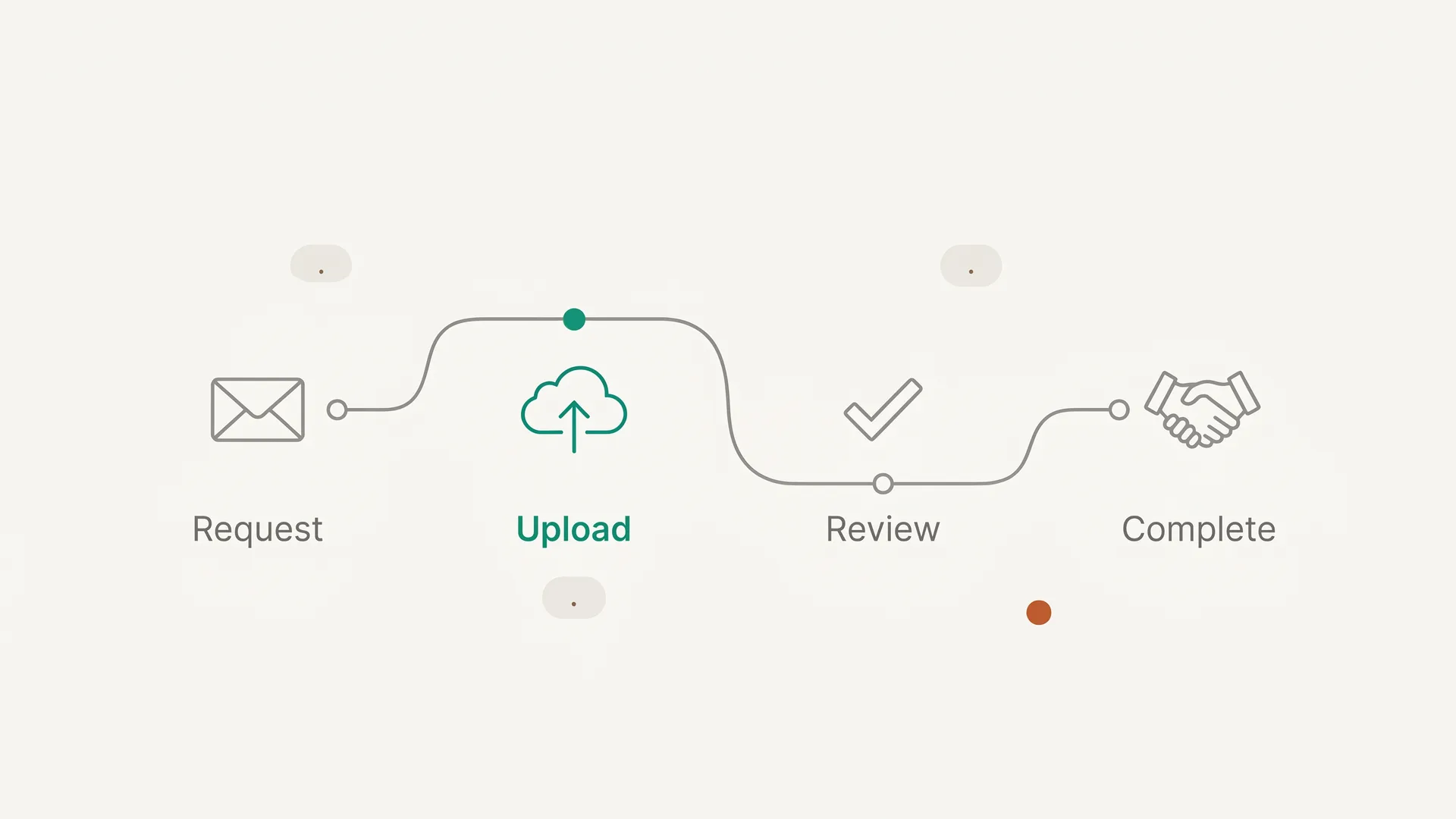
Key feature: No-account upload link document requests. You send a link. Your client clicks it. They upload the files. No account creation, no password, no app download. The link is the portal.
Why this matters: when shoppers abandon a checkout for a fixable reason, "the site wanted me to create an account" is one of the top causes, cited by 19% of them.5 For a 70-year-old homeowner or a first-generation immigrant navigating a mortgage application, "please create an account to upload your documents" is a conversion killer. DokuTrak skips that screen entirely.
DokuTrak is built for the document step: no-account upload links, structured requests, automated reminders, and validation before review.
Other features:
- AI document validation (catches wrong or incomplete files before they reach you)
- 1-click accept/reject per document
- Automated email reminders
- Branded client experience
- Audit trail and documented data retention policies; storage on Cloudflare R2
Limitation: DokuTrak is not a full onboarding platform. It won't replace your CRM, manage your calendar, or send invoices. It does one thing: eliminates the document collection bottleneck. If you need proposals, contracts, and billing bundled together, look at HoneyBook, Dubsado, or Copilot.
Start your 14-day free trial or see pricing.
2. Content Snare: Best for Accountants and Agencies Collecting Recurring Content
Best for: Accountants, bookkeepers, web designers, marketing agencies. Anyone collecting documents or content from clients on a repeatable basis.
Pricing (annual): Basic $35/mo · Plus $71/mo · Pro $119/mo · Custom $215+/mo. Monthly billing is higher.
Key feature: Structured, reusable document request templates with guided client upload experience. Like DokuTrak, clients don't need an account. They access via a shareable link.
Limitation: No AI validation. The tool is built for content collection (web copy, images, brand assets) as much as for regulated document collection. Less suited to financial services or legal compliance workflows.
Content Snare is the closest competitor to DokuTrak on the "no client account required" angle. The choice between them comes down to use case: if you need AI validation and a compliance-first workflow, choose DokuTrak. If you're an agency collecting mixed content and documents, Content Snare is worth evaluating. For the full field in that lane, see Content Snare alternatives, compared.
3. Copilot (now Assembly): Best for White-Label Client Portals
Best for: Consulting firms, agencies, accountants, law firms. B2B service businesses that want a premium branded client experience.
Pricing: Four tiers (Starter, Professional, Advanced, Enterprise). Professional adds users at +$39/user and Advanced at +$59/user; Enterprise starts from $2,000/mo. Check copilot.app for current base-plan rates, which the vendor adjusts periodically.
Rebrand note: Copilot has rebranded as Assembly (at copilot.app). The product is the same; the brand name is changing. Note that copilot.com now redirects to Microsoft Copilot AI — the client portal product lives at copilot.app.
Key feature: White-label branded client portal with custom domain. Includes file intake, e-signatures, invoicing, messaging, and an app marketplace connecting to tools like Airtable, Calendly, Google Drive, and QuickBooks.
Limitation: Clients must create a portal login. Per-user fees on the higher tiers and a $2,000/mo Enterprise floor make it a significant step up from document-collection-only tools. Stronger on the portal experience than on document collection specifically.
4. HoneyBook: Best for Creative Solopreneurs
Best for: Photographers, event planners, coaches, consultants, freelancers. B2C and light B2B.
Pricing (annual): Starter $29/mo · Essentials $49/mo (most popular) · Premium $109/mo. Monthly billing is higher; HoneyBook serves the US, Canada, UK, and Australia only.
Key feature: Proposal + contract + invoice + payment in one branded flow. The most complete close-to-onboard workflow for creative businesses at this price point.
Limitation: Clients need a portal login. Not built for regulated document collection: no AI validation, no compliance features. Not the right tool for financial services, legal, or real estate professionals who need document compliance workflows.
5. Dubsado: Best Value Full-Suite CRM
Best for: Creatives (photographers, designers, copywriters, coaches) who want the most CRM features for the least money.
Pricing (annual only): Starter $335/year ($28/mo) · Premier $525/year ($44/mo). Automated workflows and scheduling require Premier.
Key feature: Starter at $335/year is one of the cheapest full-suite options in this guide, covering proposals, contracts, invoicing, forms, and a client portal in one platform.
Limitation: Annual billing only. Automated workflows locked behind Premier. Clients need a portal login. Like HoneyBook, not designed for compliance-heavy document collection.
6. SuiteDash: Most Features Per Dollar
Best for: Agencies and SMBs that want white-label branding at the lowest possible price.
Pricing: Start from $19/mo, with Thrive and Pinnacle tiers above it. All plans include unlimited users. 14-day free trial of the full-featured Pinnacle plan, no credit card required.
Key feature: $19/mo for unlimited users is the lowest price in this guide for a full-suite platform. Includes white-label portal, CRM, project management, e-signatures, invoicing, and scheduling.
Limitation: Steeper learning curve than most tools. Clients need a portal login. The breadth of features can make initial setup time-intensive.
7. Clio Grow: Best for Law Firms
Best for: Solo attorneys and law firms (US, Canada, UK, Australia) that want CRM, intake, and billing integrated with case management.
Pricing: Clio's practice-of-law plans start at $49/user/mo (EasyStart), scaling up through Essentials, Advanced, and Expand, the tier that bundles Clio Grow in. Clio Grow is also available as an add-on to lower tiers. Per-user pricing adds up quickly for teams, so price the specific tier and seat count you need directly with Clio.
Key feature: Legal-specific CRM with intake automation, conflict checking, appointment booking, e-signatures, and document requests, all connected to Clio Manage for case management.
Context: Clio publishes the legal industry's most-cited benchmark data in its annual Legal Trends Report,6 and the firms that win on retention tend to be the ones that make onboarding and ongoing client communication effortless. If your stall happens earlier, at first contact and lead conversion, that is a different problem; see our client intake software guide for the before-onboarding step. Clio Grow's ROI case for legal-specific intake is strong, but the per-user pricing stings for teams.
Limitation: Legal-only. Per-user pricing becomes expensive fast. Clients need a portal login.
8. Lawmatics: Best for Law Firm Marketing Automation
Best for: Law firms that want more sophisticated marketing automation than Clio Grow, including drip campaigns, lead scoring, and round-robin scheduling.
Pricing: Custom/quote-based. No public pricing. Industry estimates put it at $200-$500/mo for solo to small firms. Contact Lawmatics for a quote.
Key feature: QualifyAI, an AI-powered lead scoring system to prioritize the right intake prospects. More powerful marketing automation than Clio Grow for firms running active lead generation campaigns.
Limitation: No public pricing is a friction point for evaluation. Clients need a portal login. Legal-only platform with no value outside law firms.
9. Clustdoc: Best for Enterprise Compliance Onboarding
Best for: Mid-market and enterprise teams in regulated industries (financial services, insurance, HR, public sector) that need a full workflow orchestration platform with compliance and KYC/KYB features.
Pricing: Pro €190/mo (3 user seats, 1 standard process, 50 applications/mo) · Expert and Ultimate on quote.
Key feature: Full onboarding checklist builder with identity verification, AI document extraction and validation, KYC/KYB, e-signatures, and approval workflows, all in a white-label portal.
Limitation: the €190/mo entry price is significant for small teams. Clients need a portal login for persistent access (magic link available for specific workflow steps only). More implementation overhead than lighter tools.
10. Moxo: Best for Complex Multi-Step Workflow Orchestration
Best for: Professional services teams (accounting, legal, finance, healthcare) needing conditional branching, multi-stakeholder approval chains, and deep integrations.
Pricing: Business $99/mo (10 flows/mo, 1,000 AI credits/mo) · Pro $499/mo (45 flows/mo, 5,000 AI credits/mo) · Enterprise custom. A free tier is available.
Key feature: Conditional and decision branching in onboarding workflows, making it the most configurable platform in this guide. Clients receive a magic link when it's their turn to act in a workflow step. Note: this is a step trigger, not a full portal replacement. Persistent access still requires login.
Limitation: Setup complexity is high, and the configurable workflow engine is overkill if your problem is simply "clients won't upload their documents."
How Do You Choose the Right Client Onboarding Software?
The most useful framework isn't "which tool has the most features." It's: where exactly does your onboarding break down?
If your bottleneck is document collection
Your clients aren't creating accounts, aren't uploading files, and aren't responding to email follow-ups.
You don't need a $200/mo suite. You need a tool purpose-built for this specific friction point. DokuTrak and Content Snare both eliminate the account-creation barrier. DokuTrak adds AI validation and is built for regulated industries. Content Snare is better suited to agencies collecting mixed content.
If your bottleneck is intake and lead conversion
Prospects are falling through the cracks. You need intake forms, lead scoring, appointment booking, and automated follow-ups before onboarding even starts.
For law firms: Clio Grow or Lawmatics. For creative businesses: HoneyBook or Dubsado. For general B2B services: Copilot.
If your bottleneck is post-onboarding client management
Documents are fine. You need a persistent client portal for ongoing communication, project management, invoicing, and file sharing.
Copilot and SuiteDash are the strongest options here. Copilot for premium white-label experience; SuiteDash for maximum features at minimum cost.
If you're in a regulated industry with compliance requirements
KYC, KYB, identity verification, and audit trails aren't optional.
Clustdoc is purpose-built for this. Moxo handles the complex workflow orchestration side. Both come at enterprise-level pricing and setup complexity.
The "client account required" question
This is underrated. Two tools in this guide require zero client account creation:
- DokuTrak: no-account upload link only, no password, no login
- Content Snare: shareable link, no account
Everyone else (Clio Grow, Lawmatics, HoneyBook, Dubsado, Copilot, SuiteDash) requires your client to create and maintain a login. Moxo and Clustdoc offer magic links for specific steps but require login for persistent portal access.
For professionals whose clients include elderly homeowners, first-generation immigrants, or anyone who will abandon a "create an account to upload your files" prompt, this distinction matters more than any feature list.
Document Collection Is the Bottleneck Most Platforms Miss
Most client onboarding software is built for the professional, not the client. Full platforms are powerful for the broker, the accountant, or the lawyer. But they put friction on the client side: account creation, passwords, portal logins.
The research is clear: forcing account creation is one of the top fixable reasons people abandon a checkout, named by 19% of shoppers who quit.5 For document collection, where your client is often a non-technical person doing this once, that's a meaningful drop-off rate baked into the tool architecture.
DokuTrak was built specifically to solve this. The client gets a link. They click it. They upload the files. No account. No password. No app.
The result is a document workflow designed to outperform email-based collection by removing account friction, adding structured checklists, and automating reminders. To see the structured-checklist part, our free new client onboarding checklist builds the exact list of documents and access to collect from a new client, then turns it into one upload link.
If your onboarding bottleneck is document collection, you don't need a $200/mo platform that also manages your calendar, CRM, and invoicing. You need a $79/mo scalpel.
Try DokuTrak free for 14 days (no card needed; if you do not add one, the trial simply ends).
For a broader comparison of client portal software options, see our full guide.
Start Collecting Documents Without the Chase
Most professionals will read this guide, nod at the stats, and go back to chasing documents via email. That's fine. It means the gap between their client experience and yours will keep growing.
If your onboarding bottleneck is document collection, the decision is simple:
- Full platform (CRM + billing + intake): Copilot, HoneyBook, Dubsado, or SuiteDash depending on your industry and budget
- Legal-specific: Clio Grow or Lawmatics
- Enterprise compliance: Clustdoc or Moxo
- Document collection specifically: DokuTrak (with AI validation) or Content Snare
For a deeper look at the broader category, read our client portal software guide and document collection software comparison. For intake specifically, see how to build a client intake form that converts.
Try DokuTrak free for 14 days (no card needed; if you do not add one, the trial simply ends).
Footnotes
-
ABBYY, "90% of companies lose potential customers during the digital onboarding process" — State of Intelligent Automation Report, Customer Onboarding Pain Points and Drivers Q4-2022 (1,623 decision-makers surveyed). Retrieved 2026-06-14. https://www.abbyy.com/company/news/90-perc-of-companies-lose-potential-customers-during-the-digital-onboarding-process/ ↩ ↩2 ↩3 ↩4
-
Fenergo, "70% of banks lose clients due to slow onboarding" — Global survey of 600 senior decision-makers at banks, asset managers, and fund administrators, 2025. Retrieved 2026-06-14. https://fintech.global/2025/10/08/70-of-banks-lose-clients-due-to-slow-onboarding/ ↩
-
Visa Consulting & Analytics, "How to boost your customers' onboarding experience" (citing Signicat, "The Battle to Onboard III," 2019). Retrieved 2026-06-14. https://www.visa.co.uk/content/dam/VCOM/regional/ve/unitedkingdom/PDF/vca/uk-vca-how-to-boost-your-customers-onboarding-experience.pdf ↩
-
HubSpot, "28 Customer Onboarding Stats to Know" (citing McKinsey & Company). Retrieved 2026-06-14. https://blog.hubspot.com/service/customer-onboarding-stats ↩
-
Baymard Institute, "50 Cart Abandonment Rate Statistics" (2026) — among shoppers who abandon a checkout for a fixable reason, 19% cite "the site wanted me to create an account." Retrieved 2026-06-14. https://baymard.com/lists/cart-abandonment-rate ↩ ↩2
-
Clio, "The 2024 Legal Trends Report" (ninth annual edition). Retrieved 2026-06-14. https://www.clio.com/resources/legal-trends/2024-report/ ↩
Frequently asked questions
What is the difference between client onboarding software and a client portal?
A client portal is a persistent workspace where clients and professionals collaborate over time: messaging, file sharing, invoicing, and project tracking. Client onboarding software focuses on the initial phase, getting a new client set up with the documents, forms, and information you need before ongoing work begins. Some tools do both; others specialize.
Can clients upload files without creating an account?
With some tools, yes. Most onboarding platforms require clients to create a login, but a few send a no-account upload link instead: the client clicks and uploads with no password. That distinction matters because forced account creation is one of the top fixable reasons people abandon a checkout, and the same friction stalls document collection.
How much does client onboarding software cost?
Pricing ranges widely, from around $19/month for a full-suite platform with unlimited users up to enterprise floors in the thousands, plus per-user legal and accounting plans that add up fast for teams. DokuTrak starts at $79/month for a solo practitioner. The right question is not which is cheapest but which solves your specific bottleneck.
What is a no-account upload link in client onboarding?
A no-account upload link is a unique URL sent to your client by email. Clicking it takes them straight to their document upload page with no username or password. In DokuTrak, clients receive this link, click it, and upload immediately, with no account creation and no login screen to stall on.
Is there software that uses AI to check whether a client uploaded the right document?
Yes. In DokuTrak, an AI first pass reviews each uploaded file against the requested document type and flags blurry scans, wrong types, expired documents, or incomplete files before they reach you. Your team still makes the final call. This collapses the usual wrong-document loop from days of back-and-forth to seconds.
Can I use client onboarding software for a regulated industry like finance or insurance?
Yes. Look for tools with audit trails, clear subprocessors, regional processing documentation, and document validation. DokuTrak stores files on Cloudflare R2, maintains an audit trail, and can run AI first-pass review when the workspace enables cloud AI processing. Higher-compliance use cases may add KYC or KYB identity verification through other tools.
Keep reading
More on collecting documents without the chase.
How Accountants Collect Tax Documents: Portal vs Link
How accounting firms collect W-2s, 1099s and prior returns each tax season: email, practice-management portals or a no-login upload link, and costs.
How Law Firms Collect Client Documents: Portal vs Link
How law firms collect intake documents: a practice-area checklist, Clio, MyCase and PracticePanther portals, a no-login upload link, and security basics.
12 Best Client Portal Software Tools for 2026
Compare 12 client portal software tools on price, how clients sign in, and fit for accounting, legal and service firms. Prices checked September 2026.
Stop chasing clients for documents.
One request, one upload link. DokuTrak follows up in your firm’s name and flags the wrong files. You make the final call.