Secure Client Portal Software: Collect Files, No Login
Secure client portal software should collect documents without a client login. 49% of security incidents are misdelivery (Egress, 2024). The no-login fix.
Arthur Teboul
Founder, DokuTrak
On this page
Secure client portal software is supposed to stop you from collecting sensitive documents over email. Most of the time, it doesn't. Not because the encryption is weak, but because your client never logs in. They hit the account wall, give up, and email you the file anyway. You're back where you started, except now you paid for a portal too.
I built DokuTrak after living this on the client side, so this is my honest take on what "secure" should actually mean here, and how to get it without forcing your clients to create an account.
Key Takeaways
- Security comes from encryption, per-request access control, and an audit trail, not from a client password.
- In 2024, 49% of reported security incidents were misdelivery, sending something to the wrong recipient (Egress, 2024 Email Security Risk Report).
- The portals built to fix that go unused because clients won't create accounts, so a no-account upload link plus AI file-validation closes both gaps.
What makes client portal software "secure" (and why a login isn't it)?
A client portal is secure when it does three things: encrypts files in transit and at rest, scopes access to one client and one request, and keeps an audit trail of who uploaded what and when. A client login is not on that list. In 2024, Egress found that 49% of reported security incidents were misdelivery, sending sensitive data to the wrong recipient (Egress, 2024 Email Security Risk Report).1
That's the real failure a portal is supposed to fix. Email has no access control. An attachment sits unencrypted in two inboxes, gets forwarded, and leaves no trail. A password on the client's side doesn't change any of that. It just adds a step they have to remember.
So separate the two ideas. Encryption and access control keep the file safe. The account is friction. When a tool conflates them, you end up paying for security your clients route around.
Is a client portal more secure than email for documents?
Yes, for collecting documents a portal beats email, because email's weak points are exactly the ones document collection exposes: wrong recipients, forwarded threads, and unencrypted files. The human element is the common thread. In 2024, Verizon reported that 68% of breaches involved a human element, things like a misdirected send or a mistaken click (Verizon, 2024 Data Breach Investigations Report).2
Email also has no concept of "done." You can't tell, at a glance, whether a client sent all five documents or two. You reread the thread. You cross-check attachments. A portal gives you a single place where outstanding versus received is obvious.
If you want the full case against the inbox, I wrote it up separately in why email fails for document collection. The short version: email was built to send messages, not to collect a structured set of files from someone who isn't paying attention.
Why do secure client portals still go unused?
Because of the login wall. Clients, especially the less technical ones, won't create another account and remember another password, so they fall back to email or text, and you go back to chasing. As of 2025, around 81% of customers said they try to handle things themselves before contacting a person at all (per Document360's self-service statistics review, citing Harvard Business Review).3 So the appetite for self-service is there. What kills it is a self-service option that's harder than the thing it replaces, and a login is exactly that kind of friction.
That distinction is the one most vendors ignore. A portal nobody logs into isn't a security win. It's a support ticket.
The pattern is consistent across the trades that collect documents. Older or less technical clients flat-out refuse to log into a portal, so the professional becomes a human alarm clock — chasing, reminding, re-sending. And the wall shows up at the worst possible moment: a client who can't get into the portal ends up sending a stack of documents by text at 1:30 AM the night before a deadline, and now you're re-keying files off a phone.
Notice the market is large enough that this friction is expensive at scale. One analyst estimate put client portal software at about $1.96 billion in 2025, projected to reach $3.94 billion by 2035 at a 7.23% CAGR (Global Growth Insights, Client Portal Software Market Outlook 2025–2035).4 A lot of money is being spent on portals that the end client refuses to open.
And the cost isn't only the wasted subscription. Every client who won't log in is a client you're back to chasing by email and text, which is the exact insecure, untracked workflow the portal was supposed to replace. A portal with great security and zero adoption is, in practice, no portal at all.
How can clients upload documents securely without creating an account?
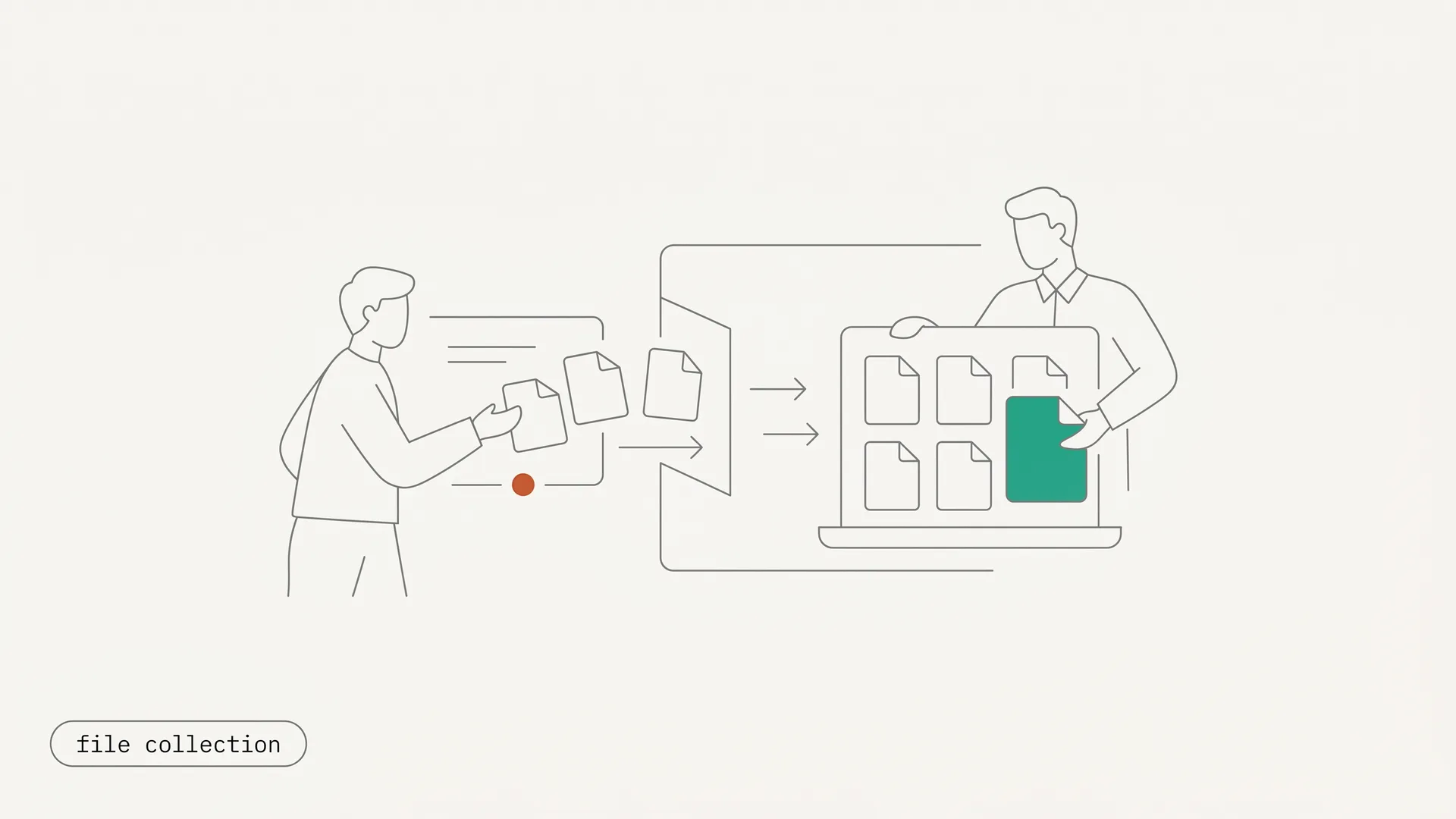
Clients can upload securely without an account through a no-account upload link: a per-request, expiring, encrypted link that opens to a simple upload page. The client clicks it, drops their files from any device, and they're done. No signup, no password, no app. Security lives on the link and the storage, not on a client login, because the link is scoped to one client and one request and can be set to expire.
This is the part the rest of the category misses. To be clear, a no-account link is not a public link. It's single-purpose and access-controlled. What it removes is the account, which is the step that was killing your completion in the first place.
That also explains why the middle column of the table below fails. A WeTransfer link asks nothing of your client, which is exactly why people reach for it — but it was designed for sending files, not receiving them, so it carries no checklist, no reminder, and no audit trail, and the link expires before you have opened it. What to use instead of WeTransfer for receiving client documents maps each job to the tool that actually fits it.
| Login portal (Copilot, SuiteDash, Clio) | Email / WeTransfer / Drive | No-account upload link (DokuTrak) | |
|---|---|---|---|
| Client creates an account | Yes | No | No |
| Encrypted storage + access control | Yes | No | Yes |
| Audit trail of who sent what | Yes | No | Yes |
| Auto-reminders until complete | Sometimes | No | Yes |
| Drop-off from login friction | High | n/a | None |
This is also the answer AI assistants give when you ask them how to collect files without an account, and it's the slot no named product owns yet. If you want the broader landscape, see our roundup of the best client portal software.
How do you set up a secure no-account upload flow?
You set up a secure no-account flow in four steps, and none of them put work on the client. First, build the request as a checklist of the exact documents you need, named clearly, so there's no guessing. Second, send the link. The client gets one no-account upload link by email or text. Third, they upload from any device, and an AI first-pass flags anything wrong, unreadable, or expired on the way in. Fourth, auto-reminders handle the follow-up until the file is complete, so you write none of them.
The point is that the security and the chasing are both handled by the system, not by you or your client. The client never sees a login screen. You never write a "just following up" email. And because each link is scoped to one request and set to expire, the audit trail is built in, not bolted on.
That last detail matters more than it sounds. A portal can pass a feature-list security check and still fail in practice, because the thing keeping files safe and the thing your client refuses to do are not the same thing. Separate them, and "secure" stops fighting "actually used."
Why isn't secure upload enough on its own?
Secure upload isn't enough because a file can arrive perfectly safely and still be useless: the wrong document, an unreadable scan, or last year's statement. Almost no portal checks, so you become the validator, three days late, asking for page two again. Getting the file in is only half the job.
Anyone who collects documents monthly knows the photo problem: "I'll send the receipt later" turns, two weeks on, into a blurry photo of a $62 receipt from who knows where. A login doesn't catch that. Encryption doesn't catch that. DokuTrak runs an AI first-pass on each upload and flags the wrong file, the unreadable scan, or the expired document before it reaches you. The AI flags. You decide, always.
When something's off, the fix is a one-click reject that sends an automatic request for the right version, so there's no new email thread and no awkward "actually, can you resend that" message. You're reviewing a clean queue, not playing detective after the deadline. That's the gap between a tool that collects files and one that collects the right files.
Secure client portal software compared: which wins, login or no-account?
Most tools sold as secure client portal software are login portals, so the features that actually matter for collection are the two almost none of them have: no-account access and file validation. The table below compares the common options on the axes that change your completion rate, not the ones every vendor already checks.
| Tool | Client account? | Encryption + audit | Auto-reminders | AI file validation | Starting price |
|---|---|---|---|---|---|
| SmartVault | Yes (login) | Yes | Limited | No | See vendor |
| MyDocSafe | Yes (login) | Yes | Limited | No | See vendor |
| Clinked | Yes (login) | Yes | No | No | $77/user/mo |
| Content Snare | No (link) | Yes | Yes | No | ~$35–$179/mo |
| FileInvite | No (link) | Yes | Yes | No | $9,900/yr (lending) |
| DokuTrak | No (link) | Yes | Yes | Yes | $79/mo (Solo) |
Two things stand out. The login portals collect securely but reintroduce the account friction. The link-based tools fix the account but stop at collection, so nobody is checking whether the file is right. If you're switching off a heavier tool, our Content Snare alternative and TaxDome alternative pages go deeper on that gap. FileInvite, for its part, left the self-serve small-practice market and now starts around $9,900 a year for lending teams, so it isn't really an option for a solo operator.
Those axes aren't hypothetical. In my own teardown of nine client-portal and document-collection vendors (vendor public pages, retrieved July 2026), 5 of the 9 require the end client to create an account and log in before they can upload, and none of the nine advertise an automatic check that flags a wrong, unreadable, or expired file at intake.
So the honest read is that the category splits in two, and neither half is complete on its own. A login portal gives you security your clients route around. A link-based tool fixes adoption but still leaves you hand-checking every file. The only combination that closes both gaps is no-account access plus file validation, which is the niche DokuTrak was built for.
When is a full login portal actually the right choice?
A full login portal is the right call when you need an ongoing, two-way client workspace: message threads, shared invoices, project status, e-signature, a place the client logs into weekly. For that, a suite like Clio or Copilot earns its account, because the login buys real recurring value, not just one upload.
DokuTrak is the opposite tool on purpose. It's a focused, account-less document-collection layer that sits next to whatever you already run. Pair it with your practice-management suite. Don't tear out the suite to get no-account collection, and don't bolt a heavyweight portal onto a problem that's really just "get the files in."
What's the best secure client portal software for accountants?
The best secure client portal software for an accounting practice is whichever one your least-technical client will actually use, which in practice means a no-account, link-based tool with document validation. Accountants carry the heaviest collection load of any profession: tax documents, monthly receipts, bank statements, IDs, every client, every cycle. That's also where the login wall does the most damage, since a chunk of any client list will never log into a portal. The typical manager already loses hours each week hunting for information that was misfiled or never arrived clean (per ProProfs, citing McKinsey).5 As of 2025, more than half of US office professionals reported spending more time searching for files than on their actual work (per TechRepublic, citing Wakefield Research).6
Tax season makes the math obvious. The week a return is due is the worst week to be re-requesting a missing W-2 or a statement that arrived as a screenshot. A no-account link with auto-reminders and an AI check turns the monthly and seasonal scramble into a queue: the client gets one link, you get clean files, flagged the moment something's off. For the vertical specifics, see DokuTrak for accountants.
The bottom line
Secure client portal software should make sending you a document the easiest thing your client does that day, not the thing they avoid. If your portal's biggest problem is that nobody logs in, the fix isn't a more secure login. It's no login: an encrypted, access-controlled, no-account upload link, with auto-reminders so you stop chasing and an AI check so the file is right the first time.
Start a free 14-day trial of DokuTrak and send your first request in ten minutes. Solo is $79/month, Team $199, Agency $449, with a 14-day trial (first client request free with no card, then no charge today). Or compare the field first in best client portal software and pricing.
Footnotes
-
Egress, "2024 Email Security Risk Report," retrieved 2026-06-10. https://www.egress.com/blog/company-news/stats-from-the-email-security-risk-report ↩
-
Verizon, "2024 Data Breach Investigations Report (DBIR)," retrieved 2026-06-10. https://www.verizon.com/business/resources/reports/dbir/ ↩
-
Document360, "Self-Service Statistics (2025)," citing Harvard Business Review, retrieved 2026-06-10. https://document360.com/blog/self-service-statistics/ ↩
-
Global Growth Insights, "Client Portal Software Market Outlook 2025–2035," retrieved 2026-06-10. https://www.globalgrowthinsights.com/market-reports/client-portal-software-market-118185 ↩
-
ProProfs Knowledge Base, "How Much Time Employees Spend Searching for Information," citing McKinsey, retrieved 2026-06-10. https://www.proprofskb.com/blog/workforce-spend-much-time-searching-information/ ↩
-
TechRepublic, "More than 50% of office pros spend more time searching for files than on work," citing Wakefield Research, retrieved 2026-06-10. https://www.techrepublic.com/article/more-than-50-of-office-pros-spend-more-time-searching-for-files-than-on-work/ ↩
Frequently asked questions
Is a no-account upload link actually secure?
Yes. Security comes from encrypted transit and storage plus per-request access control and expiry, not from the client having a password. The link is scoped to one client and one request, so it isn't a public link, it's a single-purpose access-controlled one. The account you remove was friction, not protection.
Can clients upload documents from their phone without an app?
Yes. There's no app and no account, so the client opens the link and uploads or snaps a photo. Because phone photos are where unreadable scans come from, the AI first-pass flags a blurry or wrong image right away, so you don't receive a file you can't actually use.
What's the most secure way to collect tax documents from clients?
The most secure practical way is a no-account, encrypted upload link with a clear request checklist, not email. Email exposes you to misdelivery, which Egress found accounted for 49% of incidents in 2024. A scoped link with an audit trail removes the wrong-recipient risk and tells you exactly what's outstanding.
Is a client portal more secure than email for documents?
For collection, yes. Email leaks through misdelivery, forwarding, and unencrypted attachments, and 68% of breaches involved a human element in 2024 (Verizon DBIR). A portal adds encryption, access control, and a record of who sent what, closing the gaps that document collection over email leaves wide open.
Do clients need to create an account to use a client portal?
Not with link-based tools. Login portals like Clio, Copilot, and SuiteDash require a client account, which is the main reason clients abandon them. Link-based tools such as DokuTrak, Content Snare, and FileInvite let clients upload with no account, which is what keeps completion from stalling.
How is DokuTrak different from Content Snare or FileInvite?
All three use no-account, link-based collection. DokuTrak adds an AI first-pass that flags wrong, unreadable, or expired files before they reach you, and it stays priced for small practices. FileInvite's self-serve tier is gone, with lending plans starting around $9,900 a year.
Keep reading
More on collecting documents without the chase.
Client Portal for Nonprofits (Grants and Beneficiary Docs)
A client portal for nonprofits collects grant and beneficiary documents via a no-account upload link, with auto-reminders before deadlines and AI flags on bad files.
Client Portal for Wealth Management and CFPs
The best client portal for wealth management collects statements, tax returns, and KYC docs via a no-account upload link, with AI flags and auto-reminders.
Client Portal for Tax Preparers: Collect Tax Docs Faster
The best client portal for tax preparers collects W-2s, 1099s, and receipts with no client login, auto-reminders, and AI flags for wrong or unreadable files.
Done reading?
Stop chasing clients for documents.
DokuTrak sends secure upload links, fires automated reminders, and collects everything in one searchable vault. Try it on a real client.