Client Intake Process: A Step-by-Step Workflow Guide (2026)
Build a client intake process that runs itself: the stages, the workflow, and the automation that collect documents from new clients without the email chase.
Arthur Teboul
Founder, DokuTrak

On this page
You're an immigration lawyer near a deadline. You sent the document checklist, but one critical certificate is still missing.
They still haven't sent the police clearance certificate.
You send another email. You wait. You call. You leave a voicemail. You draft a third follow-up. You wonder, not for the first time, why the most critical part of your job, getting information and documents from clients, still runs on vibes and polite emails in 2026.
This is a client intake process problem. And it's everywhere.
Lawyers, accountants, real estate professionals, mortgage brokers, HR consultants: every professional who collects information and documents from clients runs into the same wall. The intake process is broken. Clients don't respond. Wrong documents come in. Deadlines slip. Cases stall.
This guide is about the process around intake, not the form artifact. (If you need the form itself, see the client intake form guide.) Here you'll get the stages of a working intake workflow, why most processes fail, what each profession needs at each stage, and the automation that closes the loop. Evidence-backed context and practical steps you can implement this week.
What Is the Client Intake Process?
The client intake process is the workflow you run to collect the information and documents you need before you can start working with a new client. The intake form itself is just one artifact inside it. The process is everything around that form: scoping what you need, sending the request, following up, reviewing what arrives, and keeping a clear record of what's still missing. It's the first real handoff between client and professional, and it runs as a sequence of stages, not a single document.
Done well, intake sets the tone for the entire working relationship. Done poorly, it creates chaos. Missing documents. Repeat follow-ups. Delayed projects. Billing disputes over whether you even have what you need to begin.
The form itself can be a PDF, an online questionnaire, a shared folder, a client portal, or a combination. The medium matters less than the process behind it. A great client intake system does three things: tells clients exactly what's needed, makes submission frictionless, and gives you a clear record of what you have and don't have.
Most professional intake systems fail at all three.
Why Does Client Intake Go Wrong?
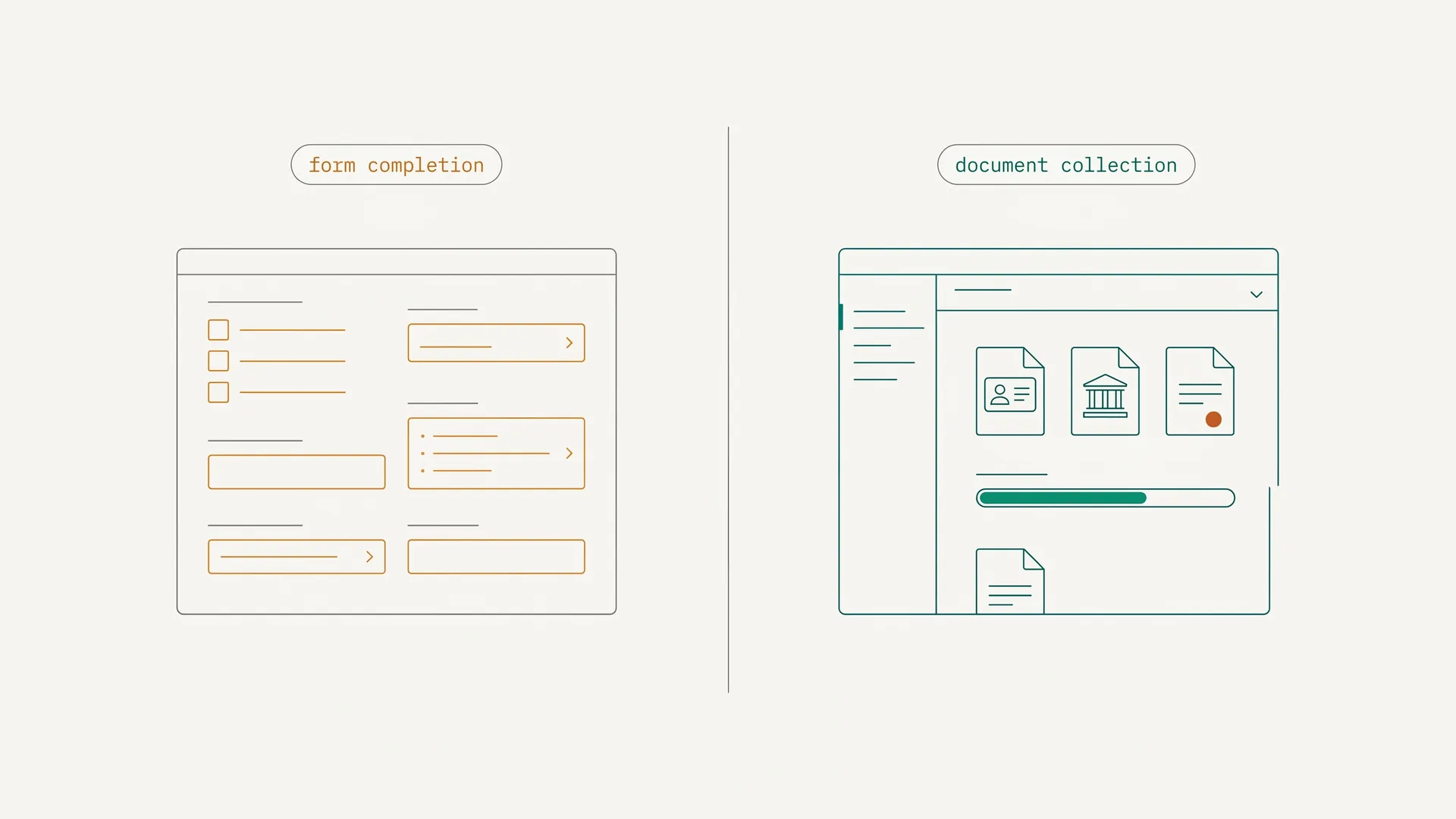
Document completion usually fails in small, predictable ways: one file never arrives, one scan is unreadable, one statement covers the wrong period, and every correction creates another follow-up loop.
The root cause is almost never client negligence. It's friction.
In an ABBYY survey of 1,623 decision-makers, 90% of companies said they lose potential customers during digital onboarding. The top reasons given were that the process is too long (29%) and that there are too many manual steps (26%).1 The pattern is consistent across the wider onboarding research: when a process is long, manual, and friction-heavy, people quit it partway through.
Your clients aren't lazy. You've just made it harder than it needs to be.
Three failure patterns show up repeatedly:
The inbox dump. You send a long list of required documents in an email. The client reads it, feels overwhelmed, marks it "to deal with later," and deals with it never. There's no clear structure, no progress indicator, no deadline clarity.
The portal wall. You use a client portal that requires account creation. Clients get a "Please register to access your matter" email. They don't create the account. The documents don't arrive. You follow up three times and they apologize and finally do it. This alone kills completion rates.
The wrong-document loop. Client sends a document. It's the wrong version, wrong format, wrong date range. You reply asking for the correct one. They send another wrong one. You reply again. This can go on for a week for a single document that takes 30 seconds to locate once someone knows exactly what's needed.
Each of these is solvable. The question is how.
The Documents Vary by Profession
There's no universal answer, but there are universal categories. Every professional intake should capture:
- Identity information — who is this person, verifiably
- Conflict check data (for lawyers) or regulatory screening data
- Case or project-specific documents
- Engagement paperwork — signed agreement, fee terms
What each profession collects varies widely, and because those checklists are long and compliance-bound (ABA Rule 1.18, IRS Circular 230, RESPA/TRID, Form I-9), we keep the full, primary-sourced version in one place instead of repeating it here.
See the by-profession checklists — lawyers, accountants, mortgage brokers, real estate, HR, and more, each mapped to the rule that governs it — in our complete guide to client intake forms. This guide stays on the process: how to run intake so those documents actually arrive, complete and on time, without the chase.
How Do You Build a Client Intake Process That Actually Works?
There's a difference between a client intake form and a client intake process. The form is a document. The process is the system that gets it completed.
Here's how to build one that works.
Step 1: Identify every document and data point you need before day one
Start by listing everything you need to begin work. Not everything you might eventually need. Everything you must have before you can open the file, accept the engagement, or start billing.
For lawyers, this is your conflict check data plus the retainer. For accountants, it's your prior-year return and primary income documents. For real estate professionals, it's the representation agreement and pre-approval.
Keep this list short. Every extra field creates another chance for the client to stall. Progressive profiling, where you collect information in stages, keeps the first request focused on what you actually need to begin.
If you don't need it on day one, don't ask for it on day one.
Step 2: Remove the login wall
This is the single highest-impact change you can make.
Every client portal that requires account creation is losing you documents. The client gets an email saying "please register at our portal to upload your documents." They close the email. They mean to do it later. They don't.
The fix is zero-authentication access. Send a link. Client clicks. Client uploads. No account. No password. No friction.
This is the mechanic behind DokuTrak's document completion workflow: remove the login wall, keep requests specific, and close the validation loop. Most of the lift comes from removing the login wall — when clients don't have to create an account, more of them actually complete the request.
The data supports this pattern broadly. Fenergo's 2025 survey of 600 senior decision-makers across banks, asset managers, and fund administrators found that 70% of financial institutions lost clients in the past year due to slow onboarding, the highest rate it has recorded.2
Step 3: Specify, don't just request
"Please send your bank statements" gets you whatever the client thinks their bank statements are. "Please send your most recent 3 months of bank statements as PDFs, from each account you hold" gets you the right documents.
Specificity reduces the wrong-document loop. For each item on your intake list, include:
- Exactly what is needed
- What format is acceptable
- What date range applies
- Why it's needed (one sentence); clients upload faster when they understand why
This doesn't need to be a paragraph. Two sentences per item is usually enough.
Step 4: Set expectations and automate follow-up
Tell clients upfront: what you need, when you need it, and what happens if you don't receive it.
Then automate the follow-up. Don't write individual reminder emails. Your system should send them on a schedule: day 2 if nothing received, day 5 if still incomplete, day 9 before deadline.
Behavioral psychology research on nudging is consistent: timed, automated, short reminders outperform manual email campaigns. The reminder should be friendly, specific about what's still outstanding, and include a direct link to the upload point.
Step 5: Build a validation step
When a document arrives, someone needs to check it. In some ways the wrong version of a document is worse than no document at all, because it creates false confidence that the intake is complete.
Build a 1-click accept/reject step into your intake process. Accepted = filed. Rejected = automated notification to the client with specific instructions for what to send instead.
This stops the email thread. "I received your bank statement but it only covers one month. Please resend with three months of statements included" gets replaced by a single rejection trigger that sends that message automatically and opens the upload slot again.
Why Does Most Client Intake Software Miss the Point?
The market for intake software is fragmented. You have two categories of tools most professionals end up evaluating.
Practice management suites: Clio ($49-$149/user/month, billed annually), MyCase ($39-$109/user/month, billed annually), PracticePanther ($49-$89/user/month, billed annually). These are full-stack platforms. Practice management, billing, calendaring, intake. If you're buying a suite, intake is one feature among forty.
The tradeoff: you pay for forty features you might use five of. And intake isn't the focus. The document collection workflow inside these platforms is often clunky, requires the client to access a portal with credentials, and lacks the validation layer.
Horizontal document collection tools: Content Snare (from $9/month), Pipefile (from $14.99/month), Clustdoc (from ~$190/month). These are closer to what's actually needed but are built for a broad market (agencies, accountants, consultants) and not optimized for the specific document types and compliance requirements of legal or financial professionals.
The gap DokuTrak fills is the purpose-built, lightweight, zero-auth document request layer. Plans start at $79/month for Solo. One workflow, done right. Not a suite.
If document follow-up is taking time away from billable work, the cost is already visible. $79/month Solo should be weighed against fewer stalled requests, cleaner files, and less manual follow-up.
The Legal Intake Special Case: Compliance Matters
Under ABA Model Rule 1.18, confidentiality duties attach to a prospective client from the moment of first consultation. This means your intake form isn't just operational — it's the first point at which ethical obligations activate. Conflict checks must be performed before substantive discussion of the matter, and records of that check should be retained permanently.
This changes how you build your intake form. You don't want clients volunteering sensitive information about their matter before you've run the conflict check. The intake form needs a first stage that captures just the conflict data (names, parties, nature of matter) and a second stage that opens once the conflict is cleared.
Most practice management platforms don't sequence this well. They present a single intake form that solicits everything upfront. For lawyers, that creates ethical exposure.
The Clio 2024 Legal Trends Report, based on data from thousands of law firms, found that the average lawyer bills only 2.6 hours per day,3 and that 74% of hourly billable work could be automated by generative AI.4 But automation only works if the inputs are clean. If your intake process is broken, with missing documents, wrong versions, or incomplete conflict data, automation makes a mess faster, not slower. Fix intake first.
For immigration lawyers specifically, the document complexity is exceptional. A standard family-based green card (I-485) case requires the petitioner's I-130, the beneficiary's I-485, I-864 (Affidavit of Support) with 3 years of tax returns, I-693 (medical exam), birth certificates, marriage certificates, police clearance certificates from every country the applicant lived in for more than 6 months after age 16, passport photos, and proof of the petitioner's status and income. That's 15+ distinct documents per family member, and any one missing item results in an RFE (Request for Evidence) that costs 3-6 months.
What Does Better Document Completion Actually Look Like?
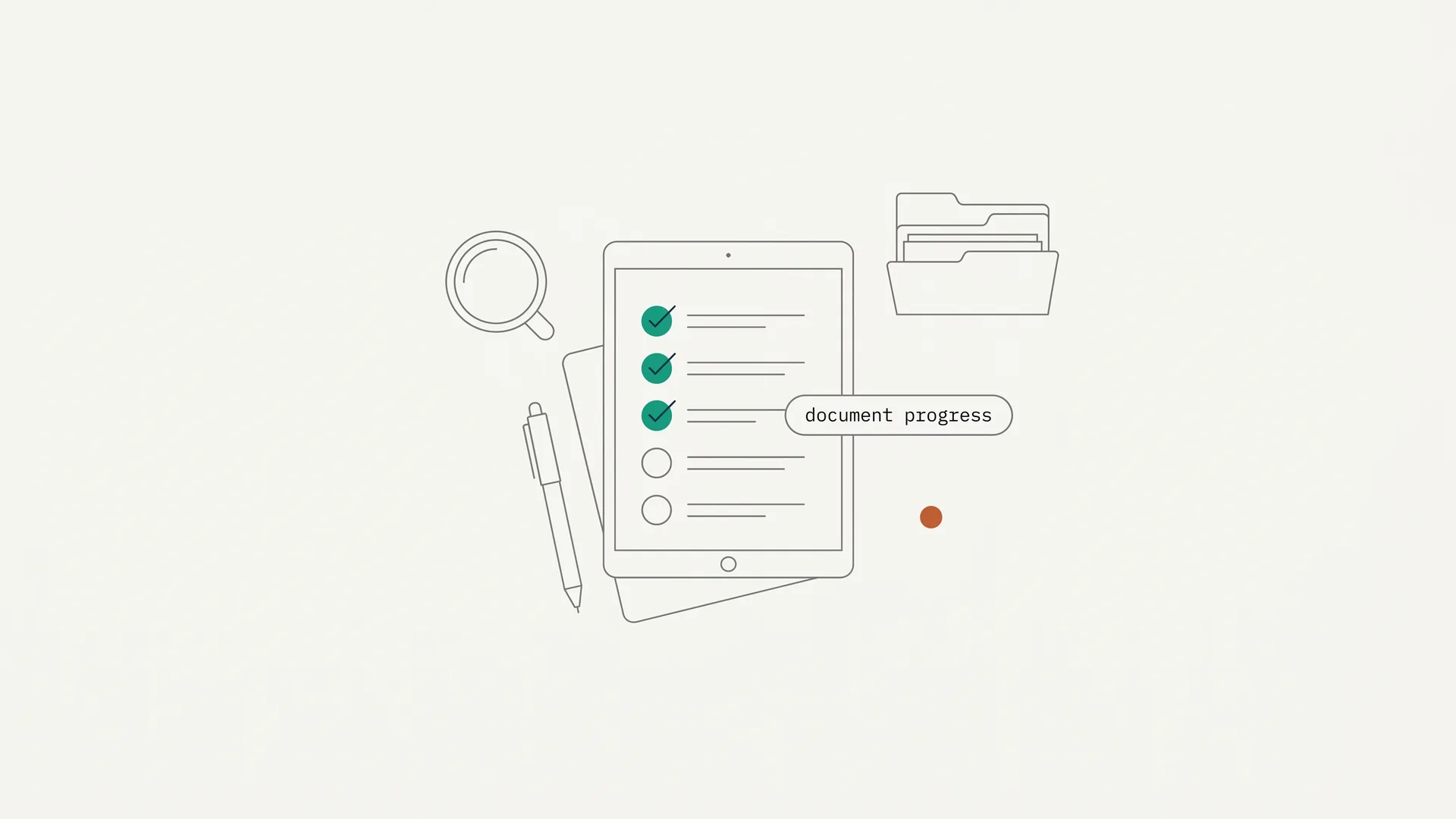
Most professionals I've talked to assume their process is "mostly working" because the documents eventually arrive. When they actually count documents requested versus documents received on the first attempt, the gaps are easier to see: missing files, wrong periods, unreadable scans, and unclear next steps.
That is not an indictment of clients. It is a measurement problem. Every point of friction in the intake process (account creation, confusing instructions, wrong format, unclear deadlines) creates another place for the request to stall.
DokuTrak is designed to make completion measurable at request level instead of relying on inbox estimates. The workflow is built around three mechanics: zero-authentication access (clients click a link, no account required), specificity in each document request (format, date range, purpose), and 1-click validation with automated re-request when a document is wrong. Remove friction, specify clearly, close the loop fast.
The comparison isn't hypothetical. The tools that require client account creation consistently post lower completion rates. The tools that abstract document requests into vague email asks get wrong documents. The tools without a validation layer don't know what they're missing.
If you want to see how this plays out in practice, you can start a 14-day trial at DokuTrak and run your first intake request this afternoon. First client request free, no card, then no upfront charge.
What Mistakes Kill Your Client Intake Process?
Requesting everything upfront. Front-loading 20 documents in the first intake email signals complexity before trust is established. Collect what you need to begin in stage one. Collect the rest as the engagement progresses.
No deadline specificity. "At your earliest convenience" means never. "By Thursday, April 10th" means Thursday, April 10th. Add a date to every request.
Sending from a no-reply address. If your intake system sends follow-ups from [email protected], clients can't reply with questions. They hit a wall. They stop. Use a monitored address or a system that routes responses to you.
One-size forms. A real estate buyer and a personal injury client need different intake forms. Sending a general intake form to both creates confusion and extra fields that generate abandonment. Build templates per client type.
Not tracking completion. If you don't have a dashboard showing which clients have submitted what, you're flying blind. You find out documents are missing when you try to work the case, not three days before the deadline when you could still do something about it.
Accepting the wrong document silently. If a client sends a 2022 bank statement when you needed 2024, and you don't catch it until the closing, you've created a bigger problem than if you'd rejected it immediately. Build in the validation step.
What Should You Look For in Client Intake Software?
When evaluating client intake software, five capabilities matter:
Zero-auth client access. Can your client complete the intake without creating an account? This is non-negotiable if you want fewer stalled requests.
Document-level specificity. Can you add instructions, format requirements, and examples to each individual document request? Vague requests generate wrong submissions.
Automated reminders. Does the system send follow-up reminders automatically, on a configurable schedule? This should not require manual intervention.
1-click accept/reject validation. Can you accept or reject each document individually, with automated notification to the client when you reject? The alternative is an email thread.
Secure document storage. Once intake is complete, where do the documents live? Can you find them later without digging through email chains?
For a head-to-head comparison of the main options, see Client Intake Software Compared: 8 Tools for Professionals in 2026.
What Does All This Add Up To?
A broken intake process costs real money. Lawyers, accountants, and other professionals lose capacity every time skilled staff have to chase the same missing paperwork instead of doing the work clients hired them to do.
The fix isn't a longer form. It's a better process: fewer fields upfront, zero-auth access, specific instructions, automated follow-up, and a validation layer that closes the loop.
Low first-attempt completion is not inevitable. It is usually the result of using email and generic portals for a workflow that needs a purpose-built system.
If you want to test the workflow in your practice, your first client request is free with no card, then the trial runs for 14 days with no upfront charge.
Start your 14-day trial — set up your first intake request and test the workflow on a real client.
See how DokuTrak works for law firms, including a walkthrough of the no-account upload link flow and the accept/reject validation step.
Footnotes
-
ABBYY, "90% of companies lose potential customers during the digital onboarding process" (State of Intelligent Automation Report Q4-2022, survey of 1,623 decision-makers conducted by Sapio Research), retrieved 2026-06-14. https://www.abbyy.com/company/news/90-perc-of-companies-lose-potential-customers-during-the-digital-onboarding-process/ ↩
-
Fenergo, "Global Financial Institutions Struggle with Rising Client Losses and Compliance Costs as AI Adoption Increases" (survey of 600 senior decision-makers, August 2025), retrieved 2026-06-14. https://resources.fenergo.com/newsroom/global-financial-institutions-struggle-with-rising-client-losses-and-compliance-costs-as-ai-adoption-increases-fenergo ↩
-
Clio, "Highlights from the Legal Trends Report: the Legal Industry in 2024," retrieved 2026-06-14. https://www.clio.com/blog/highlights-from-2024-legal-trends-report/ ↩
-
Clio, "Highlights from the Legal Trends Report: the Legal Industry in 2024" ("Seventy-four percent of billable work that's billed by the hour could be automated by generative AI"), retrieved 2026-06-14. https://www.clio.com/blog/highlights-from-2024-legal-trends-report/ ↩
Frequently asked questions
How do I get clients to actually send me their documents?
Remove friction first. Do not require account creation; send a direct upload link. Give each request a specific deadline and clear, itemized instructions. Then automate the reminders so the follow-up is not a manual task. Clients stall on document gathering because it feels aversive, not because they do not want to work with you.
How do you collect documents from clients without chasing them?
Replace the email thread with a structured request: a no-account upload link, specificity on each item (format, date range, purpose), automated reminders, and a one-click accept or reject that auto-sends the correct-version request when something is wrong. The system does the chasing; you review a clean queue.
What is the difference between a client intake form and a client portal?
A client intake form collects the information needed to start an engagement. A client portal is an ongoing communication and document-sharing environment that can run for the whole matter. The intake form is the beginning of the process; the portal is the ongoing infrastructure. Some tools do both; others specialize in one.
How long should a client intake form be?
As short as possible for the first stage. Form length is a top reason people abandon intake, so request only what you need to start the engagement and collect the rest progressively. Five to eight fields is a reasonable target for initial intake; the full document checklist can follow once the engagement is confirmed.
What is the biggest compliance risk in client intake for lawyers?
ABA Model Rule 1.18. Confidentiality duties attach at first consultation, so collecting detailed matter information before running a conflict check can create obligations to a prospective client that conflict with an existing one. The fix is two-stage intake: stage one collects only conflict-check data; stage two, after clearance, collects the full matter documents.
Can I automate the client intake process?
Yes, substantially. Automated reminders are table stakes. You can also automate document-request sequencing, notifications when files arrive or are wrong, and archiving once intake is complete. What you cannot fully automate is the validation judgment on whether a document satisfies the requirement; the best systems reduce that to a single click.
Keep reading
More on collecting documents without the chase.
Client Intake Software: The 2026 Buyer's Guide
55% of form visitors abandon before completing (Zuko Analytics). We compared 8 client intake tools for forms, document collection, and first-response speed.
Client Intake Form: The Complete Guide for Professionals
Client intake forms collect 15-30 documents per client. 90% of companies lose clients during onboarding (ABBYY, 2022). Here's how to fix your intake process.
New Client Onboarding Checklist (Free Template)
A free new client onboarding checklist for service businesses: welcome, contract, intake form, document collection, and kickoff, plus how to collect it without the chase.
Done reading?
Stop chasing clients for documents.
DokuTrak sends secure upload links, fires automated reminders, and collects everything in one searchable vault. Try it on a real client.